
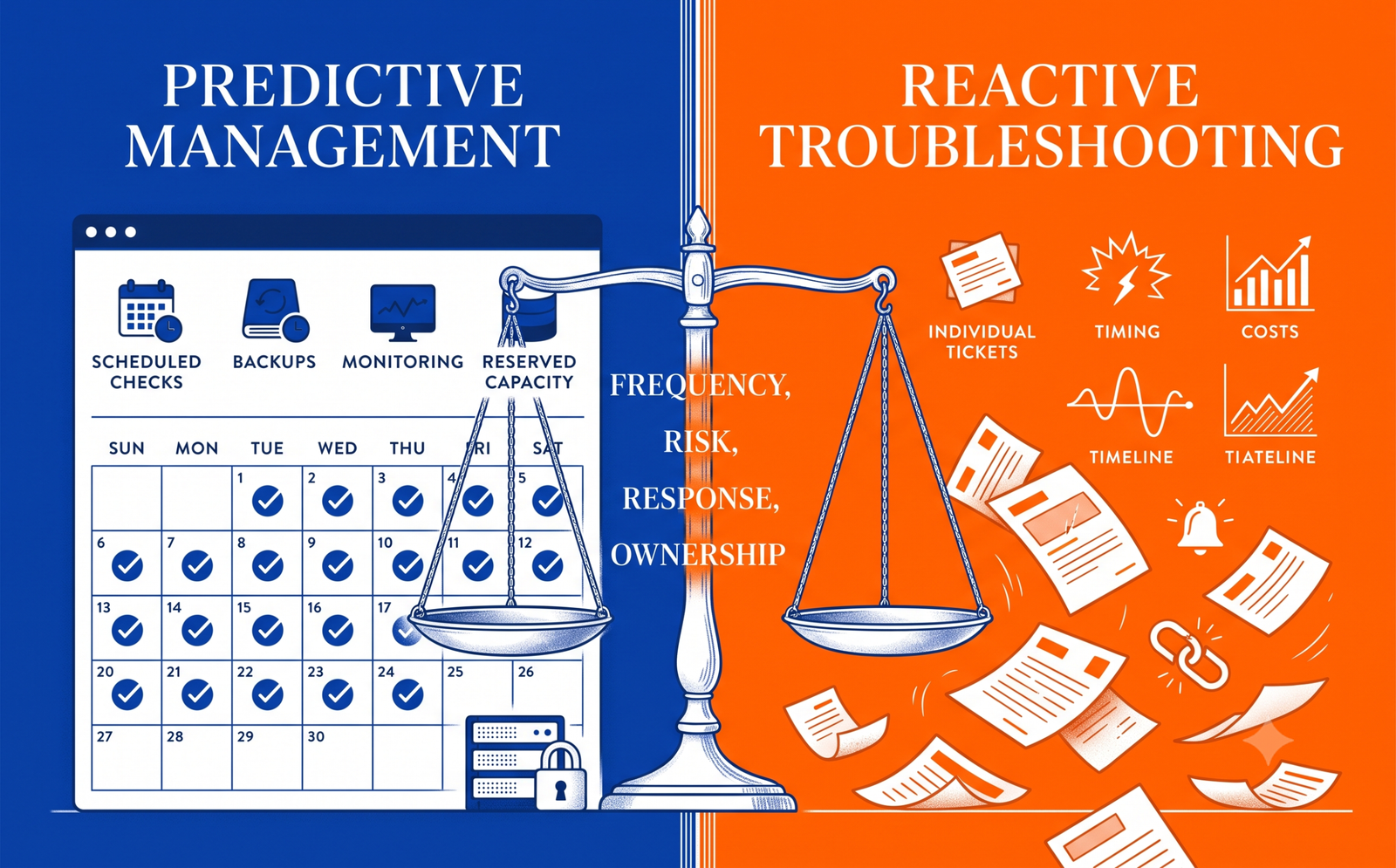
A website can look quiet while carrying active business risk. Software changes, integrations expire, forms stop delivering, staff access becomes outdated and small content requests accumulate. The commercial question is not whether a website needs attention. It is whether your business should reserve ongoing support through a website maintenance retainer or buy help only when a task appears.
The cheaper-looking option can become expensive when an urgent request has no available owner. The monthly option can also waste money when the scope is vague and the website barely changes. A sound decision starts with workload, business dependency and response expectations—not with a generic maintenance package.
Key Takeaways
It should reserve responsibility, context and capacity—not merely bundle an arbitrary number of hours.
It can be efficient for rare work, but availability and response time may not be guaranteed.
Include monitoring, testing, access recovery, repeated diagnosis and the business impact of delay.
Redesigns, migrations, emergency recovery, paid software, hosting and third-party systems should not hide behind “all-inclusive.”
The right plan depends on what breaks, how quickly it must be restored and who owns the decision.
Unused capacity, recurring incidents and a growing backlog are signals to adjust the arrangement.
First decide whether the website needs care, repair or a rebuild
Maintenance should protect a sound website. It should not quietly fund endless workarounds for a platform that no longer supports the business.
Use the repair-or-redesign decision guideWhat a Website Maintenance Retainer Is Supposed to Buy
A retainer is a recurring commercial agreement under which a provider reserves defined capacity and takes responsibility for an agreed operating scope. That scope may include software updates, backups, uptime checks, form testing, small content changes, analytics review, security monitoring, technical SEO checks and a response process for incidents.
The value is not simply “ten hours for the price of eight.” A provider who already understands the codebase, hosting, plugins, integrations and business priorities can investigate changes without starting from zero. They can plan work, notice patterns and reduce the friction of repeatedly finding access, rebuilding a staging environment or explaining the same architecture.
A credible retainer should answer five questions:
- What recurring checks and tasks are included?
- How much implementation capacity is reserved?
- How are requests prioritised and approved?
- What response and restoration expectations apply?
- What is explicitly outside the agreement?
If a proposal says only “monthly maintenance,” the buyer cannot compare value. A plan that lists backups without confirming frequency, storage, retention and restore testing is not yet a complete backup service. A plan that includes updates without stating whether changes are tested is similarly incomplete.
What Pay-As-You-Go Website Support Actually Means
Pay-as-you-go support bills for approved work when a request appears. It may be hourly, task-based or supplied through a prepaid block with no ongoing service commitment. This model is sensible when requests are genuinely rare, the site is stable and the business can tolerate normal scheduling.
It is not inherently careless. A five-page brochure site on managed hosting, with no checkout, booking flow, membership area or custom integration, may not justify reserved monthly development time. The business might need two content changes and one technical check in a year.
The trade-off is continuity. A pay-as-you-go provider may need to recover credentials, inspect unfamiliar code, reproduce the problem and understand who changed what before useful work begins. That discovery is real work. It can also be difficult to secure immediate availability during a campaign, launch or outage because no capacity was reserved.
Website Maintenance Retainer vs Hourly Support
| Decision factor | Monthly retainer | Pay-as-you-go |
|---|---|---|
| Best fit | Active, revenue-linked or operationally important websites | Stable, low-risk websites with infrequent requests |
| Availability | Reserved capacity under agreed response terms | Subject to provider availability when requested |
| Context | Provider maintains knowledge of the site and priorities | Discovery may be repeated for each task or new provider |
| Preventive work | Can include scheduled checks, testing and monitoring | Usually begins after the owner notices a need |
| Budget | Predictable recurring cost; value depends on scope and use | Variable cost; economical when work is genuinely rare |
| Urgent incidents | Response process can be contractually defined | Emergency availability and rates may be separate |
| Large projects | Normally scoped outside the baseline plan | Quoted as a project or billed by time |
| Main risk | Paying for vague or unused capacity | Delay, context loss and reactive spending |
The KG Website Support Fit Test
Rather than choosing from package names, score the operating situation. Give each statement one point:
- The website directly generates orders, bookings, applications or qualified leads.
- A broken form, checkout or integration would interrupt revenue or service delivery.
- Content, products, campaigns or landing pages change at least monthly.
- The site uses several plugins, APIs, payment tools, booking systems or CRM connections.
- There is no internal technical owner who can diagnose problems safely.
- The business needs a defined response time for urgent issues.
- Website tasks are repeatedly delayed because nobody owns the backlog.
- Past updates have caused compatibility, layout or tracking problems.
0–2 points: pay-as-you-go support may be enough. 3–5 points: consider a small retainer or hybrid plan. 6–8 points: a defined maintenance retainer is likely to provide operational value. This is a planning framework, not a universal pricing rule; the severity of one risk can outweigh the total score.
How to Compare the Real Cost
Do not compare the monthly fee with the hourly rate alone. Model the likely quarter.
Retainer cost includes the recurring fee, out-of-scope work, paid tools and any unused capacity. Pay-as-you-go cost includes task time, repeated investigation, emergency premiums where applicable and the commercial impact of waiting.
For an illustrative example, imagine a service website expects six small changes, two plugin conflicts and one urgent form issue during the next three months. The useful comparison is not “monthly plan versus nine visible tasks.” Ask how much discovery, staging, testing, communication and post-change verification each route includes. A cheaper hourly rate may still produce a higher total when context is rebuilt for every request. Equally, a large retainer is poor value if the site needs only one predictable edit.
Existing-site condition also matters. If technical debt turns every simple edit into a fragile exercise, compare the support cost with a focused rebuild. The small-business website cost guide can help frame that broader investment decision without treating maintenance and redesign as the same purchase.
What a Website Maintenance Plan Should Include
1. Ownership and access
Document the domain registrar, hosting, DNS, CMS, theme, plugins, licences, analytics, tag manager, Search Console, email delivery, forms, CRM and payment accounts. State who owns each account and how access is granted or revoked. The client should retain appropriate ownership of core business accounts.
2. Backups and restoration
Define what is backed up, how often, where copies are stored, how long they are retained and who can initiate a restore. A backup is operationally useful only if it can be located and restored. WordPress documentation recommends regular backups and specifically advises having a current backup before plugin updates.
3. Software updates with testing
WordPress core, themes and plugins need an update policy. WordPress allows plugin- and theme-level auto-updates, but its documentation also recommends a rollback path. High-risk sites may need staged updates, visual checks and transaction or form testing rather than indiscriminate automation.
For custom WordPress work, the plan should distinguish routine updates from development changes. A WordPress development specialist may be required when plugin behaviour, custom code or theme architecture needs modification rather than maintenance.
4. Security and incident boundaries
List security monitoring, access review, malware scanning, patching, failed-login handling and escalation. CISA advises organisations to patch and update software, prioritising internet-facing systems and known exploited vulnerabilities. Maintenance can reduce exposure; it cannot promise that a website will never be attacked.
Clarify whether malware removal, forensic investigation and reputation recovery are included. These are specialist incident services and may sit outside routine care. If a site is already compromised, use a defined WordPress malware-removal process rather than assuming a standard maintenance hour will resolve it.
5. Uptime, performance and functional checks
Specify what is monitored and what triggers action. Uptime alone does not prove that a form submits, a checkout completes or a booking reaches the calendar. Include the business-critical journeys that should be tested.
Performance work should also be scoped carefully. Monitoring can identify a regression, but image remediation, hosting migration or code optimisation may be separate work. Where the issue is measurable speed and interaction quality, a focused website speed optimisation review is more honest than promising unlimited performance fixes inside a small plan.
6. Content and design changes
Define the size and quantity of included edits. “Content updates” might mean replacing supplied text and images on an existing page; it should not silently expand into copywriting, a new landing-page strategy or a fresh template. State whether unused change capacity expires, rolls over or converts into a planned improvement.
7. Reporting and decision-making
A useful report should show what changed, what was tested, incidents, unresolved risks, capacity used and recommended next actions. It should not be a list of automated green ticks with no business meaning. For sites that support acquisition, review key forms, landing pages and analytics alongside technical health.
Make the scope comparable before comparing fees
KG Web Designer can review your platform, request history and business-critical journeys, then separate routine care from development, recovery and redesign work.
Review website and development servicesWhat Should Be Excluded or Quoted Separately?
Clear exclusions protect both sides. A maintenance agreement should normally explain how it handles:
- full redesigns, replatforming and migrations;
- new features, integrations or custom applications;
- hosting, premium plugins, licences and third-party subscriptions;
- copywriting, SEO campaigns, advertising and content production;
- email deliverability, DNS changes and systems outside the website;
- malware cleanup, forensic work and emergency recovery;
- vendor outages or changes to third-party platforms;
- work made necessary by unauthorised changes or withheld access.
“Unlimited changes” is rarely meaningful without a definition of task size, turnaround and fair use. A better agreement describes included capacity and gives examples of a small edit, a support task and a separately scoped project.
When a Hybrid Support Model Is Better
Many growing businesses do not fit neatly into monthly or hourly support. A hybrid model keeps a small baseline retainer for updates, backups, checks, documentation and priority response. Larger initiatives—new funnels, booking systems, ecommerce features, migrations or redesigns—receive separate estimates.
This arrangement preserves context without forcing every project into the monthly allowance. It also makes the retainer easier to audit: routine care remains predictable, while strategic work has its own objectives, scope and acceptance criteria.
Hybrid support can be especially useful after a launch. The first months reveal real editor behaviour, integration failures, form quality and reporting gaps. A post-launch plan can then be reduced, expanded or converted to pay-as-you-go based on evidence.
Questions to Ask Before Signing a Website Support Agreement
- Which platforms and third-party systems are covered?
- What preventive work happens without a ticket?
- What are the response targets for routine, urgent and critical requests?
- Does response time mean acknowledgement or actual resolution?
- How are backups stored and when was restoration last tested?
- Are updates tested on staging or applied directly?
- How are included hours or tasks measured, approved and reported?
- Do unused hours roll over?
- What counts as emergency, project or out-of-scope work?
- Who owns accounts, code, licences, analytics and documentation?
- How can either party exit, and what does handover include?
- Will the plan be reviewed after the first quarter?
Ask for answers in writing. Service contracts, tax treatment, privacy obligations and liability terms vary by jurisdiction; obtain qualified legal and accounting advice where needed.
Choose the Support Model Around Business Consequence
A website maintenance retainer is justified when continuity, prevention and response time have operating value. Pay-as-you-go support is justified when the website is stable, requests are rare and the business can plan around provider availability. Neither is automatically more professional or more economical.
The best agreement makes responsibility visible. It names the critical journeys, defines maintenance, preserves ownership, records exclusions and creates a practical handover path. After 18+ years working across more than 400 website projects for international clients, Kanika Gupta’s approach is to diagnose the website and workload first, then recommend the support model the business can actually use.
If trust, ownership and supplier continuity are already concerns, review the website trust checklist and the SEO-safe migration framework before approving significant platform changes.
Need a support model built around your actual website?
Share the platform, current risks, request pattern and business-critical features. You will receive a practical recommendation for retainer, pay-as-you-go or hybrid support—without forcing routine maintenance and new development into one vague package.
Discuss your website support needsFrequently Asked Questions
What is a website maintenance retainer?
A website maintenance retainer is a recurring agreement that reserves defined support capacity and responsibility for agreed tasks such as updates, backups, monitoring, testing and small changes. The agreement should state response expectations, included capacity, reporting and exclusions.
Is a monthly website maintenance plan worth it?
It is usually worthwhile when the website supports revenue, bookings, leads, campaigns or integrations and the business values preventive checks and predictable response. A stable, low-risk site with rare requests may be better served by pay-as-you-go support.
What should website maintenance include?
Typical scope includes access documentation, backups, software updates, uptime and security monitoring, critical form or checkout tests, small content changes and reporting. The exact plan should reflect the platform, business risk and request frequency.
What is the difference between a retainer and hourly website support?
A retainer reserves ongoing capacity and can include preventive work even when no ticket is submitted. Hourly support charges for work when a request appears. Hourly help can suit occasional needs, while a retainer offers stronger continuity and defined availability.
Do unused website maintenance hours roll over?
That depends on the agreement. Some plans allow limited rollover, while others price the retainer for reserved availability and recurring responsibilities rather than a bank of hours. The policy should be written clearly before work begins.
Does website maintenance include redesign and new features?
Usually not. Routine care, minor edits and small fixes can fit a maintenance plan, but redesigns, migrations, custom integrations and substantial new features should normally have separate scope, budget and acceptance criteria.