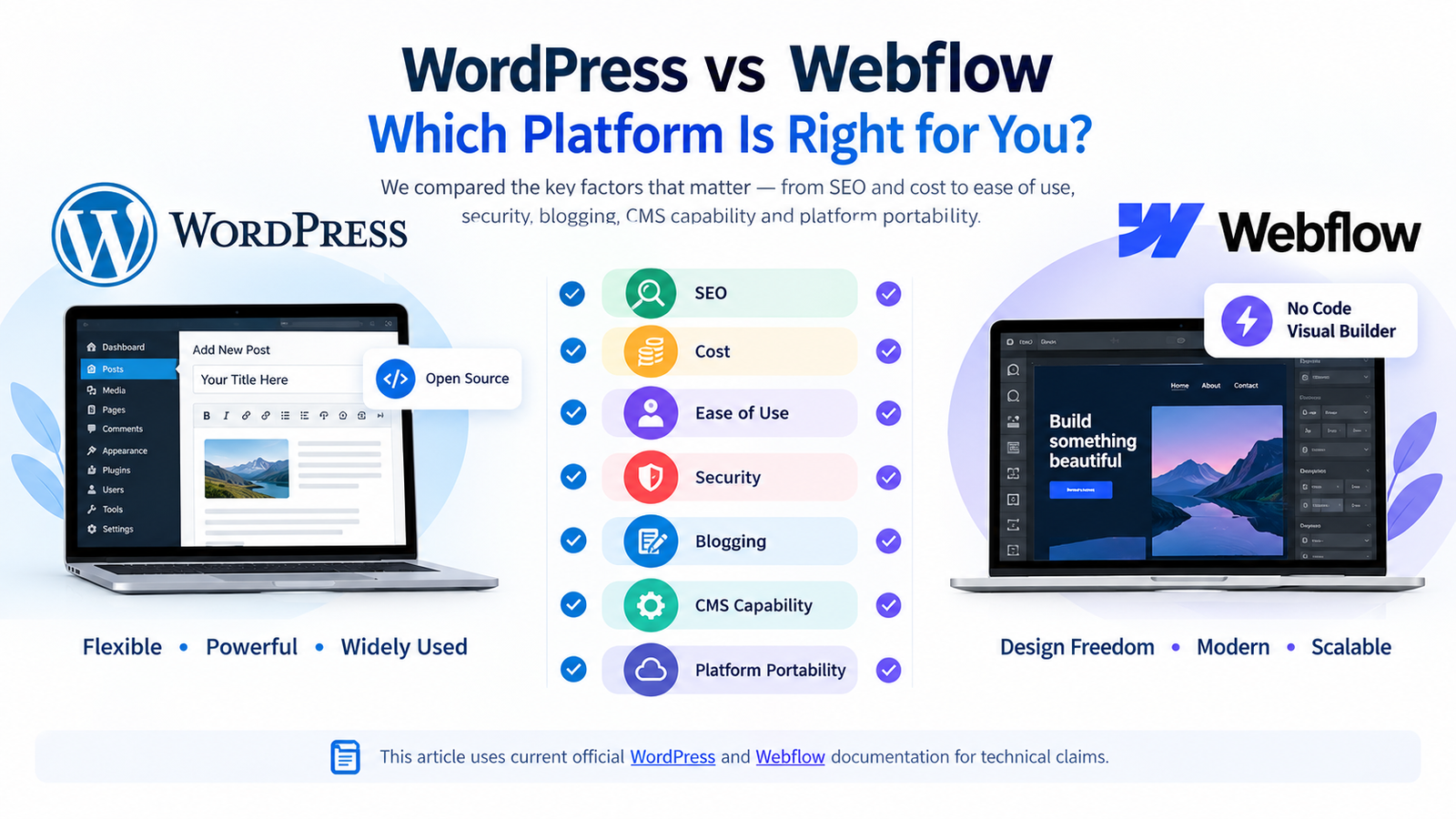
Choosing between WordPress and Webflow is not really a contest between an old platform and a modern one. For a B2B service company, it is a decision about who will publish content, how the website will connect to sales systems, how much technical control the business needs, and how easily the site can change when the company grows.
The wrong choice rarely fails on launch day. It becomes expensive later, when a marketing team cannot create the pages it needs, an integration requires a workaround, a migration reveals missing assets, or nobody is clearly responsible for updates. This WordPress vs Webflow for business comparison focuses on those operational consequences.
Quick Answer: Webflow is often the stronger fit for a design-led B2B marketing site with a controlled content model and a team that wants managed hosting. WordPress is usually stronger when a company needs broad extensibility, deeper content workflows, complex integrations, or more infrastructure choice. Neither is automatically better for SEO or conversions. The better platform is the one your team can govern well.
Key Takeaways
- Choose the operating model before choosing the CMS. Clarify who publishes, approves, maintains, and owns each technical account.
- Webflow can export static code and CMS data, but important hosted functions do not travel with a code export.
- WordPress offers more hosting and extension freedom, but that freedom creates a larger maintenance and governance responsibility.
- Both platforms can support strong SEO. Architecture, content quality, internal linking, performance, and migration discipline matter more than the logo on the dashboard.
- A B2B website should be evaluated against its future content, integration, localisation, security, and lead-management requirements.
WordPress vs Webflow for Business: The Real Difference
WordPress is an open-source publishing platform that a business installs with a hosting provider. Its themes, plugins, APIs, database, and hosting environment can be configured in many different ways. That makes WordPress less like a single product and more like a flexible website stack.
Webflow is a hosted visual development platform. Design, CMS, hosting, publishing, forms, and several site-management functions can live inside one controlled service. This can reduce the number of moving parts a team must manage, especially on a marketing website with repeatable page and content types.
The practical trade-off is control versus consolidation. WordPress gives the owner more choices about infrastructure and extensions. Webflow removes many infrastructure decisions but ties more of the working system to one provider.
A Decision Table for B2B Service Companies
| Decision area | WordPress | Webflow | Question to ask |
|---|---|---|---|
| Ownership and portability | Open-source software, portable database and files, with hosting choice | Static code and CMS data can be exported, but hosted functions have limits | What must still work if we leave the current provider? |
| Content operations | Highly customisable roles, workflows, taxonomies, and editorial tools | Structured visual CMS with a comparatively controlled editing experience | How many people publish and approve content? |
| Design system | Depends on theme, blocks, builder, and development standards | Strong visual control inside a unified Designer | Will marketers create pages from approved components or free-form layouts? |
| Integrations | Large plugin ecosystem plus APIs and custom development | Native apps, embeds, APIs, automation, and custom code | Which CRM, forms, booking, analytics, and gated-content tools are mandatory? |
| Maintenance | Hosting, core, theme, plugin, security, and backup governance required | Managed platform reduces infrastructure work, while site governance still matters | Who owns updates, testing, recovery, and access? |
| Long-term flexibility | Strong when complex functionality or custom data models are likely | Strong for controlled marketing sites that stay within platform capabilities | What could the website need in two to three years? |
1. Ownership and Exit Planning
Business owners often ask, “Do I own my website on Webflow?” or “Does WordPress give me complete ownership?” Both questions need a more precise answer.
With a self-hosted WordPress site, the business can hold the domain, hosting account, website files, and database. The WordPress software is open source. However, ownership of the finished design, custom code, premium licenses, fonts, photographs, copy, and third-party subscriptions still depends on contracts and account setup. A WordPress site built under an agency-owned hosting account can still create avoidable dependency.
Webflow allows code export on paid Workspace plans. Its official code-export documentation says the export includes HTML, CSS, JavaScript, and assets. It also states that CMS functionality, ecommerce functionality, user accounts, forms, site search, password protection, and some localisation content do not continue to work in the exported site. CMS Collections can be exported separately as CSV data.
That does not mean a Webflow site is trapped. It means portability must be defined correctly. A static code archive is not the same thing as a functioning replacement for a hosted CMS, form processor, search system, or ecommerce engine.
Put these handover items in writing
- The business controls the domain registrar, DNS, CMS, hosting, analytics, tag manager, search console, and form destination.
- The contract defines ownership and licensing for design files, custom code, copy, photography, fonts, plugins, apps, and templates.
- Administrator access is not held by one employee or supplier.
- There is a tested backup, export, and recovery process.
- A departure plan explains what is portable and what must be rebuilt.
2. Publishing Speed and Marketing Independence
Webflow is compelling when a small marketing team needs to publish polished landing pages and structured CMS content without managing a separate hosting stack. A disciplined component system can give marketers useful autonomy while keeping design consistent.
WordPress can provide the same practical independence, but the result depends heavily on implementation. A well-built block system with reusable patterns can make publishing simple. A poorly governed mixture of a theme, page builder, custom fields, and overlapping plugins can make even a small copy change risky.
Do not evaluate a platform using a designer’s demo. Ask actual editors to complete representative tasks: publish an insight, build a service page, add an author, update navigation, create a form, revise metadata, schedule a post, and restore an earlier version. The platform that looks easiest during a sales call may not produce the fastest weekly workflow.
This matters most when the website is expected to become a serious content asset. A B2B firm building an expert resource centre should map topics, authors, services, industries, case studies, and related content before development. The article on building a corporate thought-leadership hub explains why this structure is more than a blog layout.
3. Is WordPress or Webflow Better for SEO?
Neither platform receives an automatic ranking advantage. Both can support editable titles and descriptions, canonical tags, redirects, structured content, accessible pages, sitemaps, image optimisation, and fast delivery when configured properly.
WordPress has a broad SEO plugin ecosystem and can support sophisticated editorial, schema, multilingual, and programmatic requirements. The downside is that plugins can overlap, add weight, or create conflicts when they are installed without governance.
Webflow provides many core SEO controls in a more consolidated interface. It can be efficient for a marketing team that wants fewer configuration choices. Complex schema, unusual publishing workflows, large-scale migrations, or specialised international requirements may still require custom planning.
The CMS cannot compensate for weak positioning or a confused buyer journey. A site that publishes clean code but gives visitors vague service descriptions will still underperform. Use the high-converting business website checklist to evaluate clarity, trust, navigation, content, and conversion paths alongside technical SEO.
SEO questions to answer before choosing
- Will the site publish dozens or thousands of articles, service pages, profiles, locations, or resources?
- Does content require custom taxonomies, relationships, filters, or gated assets?
- Will multiple languages or country experiences need separate URLs and governance?
- Can the team control redirects, canonicals, schema, robots directives, and XML sitemaps?
- How will existing URLs, backlinks, metadata, analytics, and conversion events be protected during migration?
4. Integrations and Lead Management
A B2B service site is usually connected to more than a contact inbox. It may need CRM routing, consultation booking, lead-source capture, newsletter subscriptions, webinar registration, gated content, proposal requests, job applications, analytics events, and consent management.
WordPress often wins when the website itself must run complex functionality or exchange data with several systems. Its plugins, REST API, webhooks, and custom development options provide broad flexibility. That flexibility should not be confused with “install a plugin for everything.” Every extension adds a supplier, update path, data flow, and potential failure point.
Webflow works well when external systems handle the operational complexity. The site can send prospects to a scheduling platform, embed forms, connect through approved apps or automation, and use APIs or custom scripts. The important question is not whether an integration appears in a marketplace. It is whether the complete lead journey has been tested, including attribution, validation, notifications, CRM records, thank-you pages, and error handling.
5. Security, Updates, and Accountability
“Webflow is secure” and “WordPress is insecure” are both incomplete statements. Webflow manages the platform and hosting layer, which removes many infrastructure and plugin-maintenance decisions from the site owner. The team must still govern user access, domains, scripts, forms, data handling, and connected tools.
WordPress can be secured well, but the owner is responsible for selecting competent hosting, maintaining core and extensions, limiting access, monitoring vulnerabilities, protecting forms, managing backups, and testing changes. The risk often comes from neglected sites, unsupported components, weak credentials, or unclear responsibility rather than WordPress core alone.
Ask each supplier for a responsibility matrix. It should state who handles updates, backup checks, uptime monitoring, security response, renewals, license failures, staging tests, and recovery. A managed platform reduces some tasks, but no business website is maintenance-free.
6. Performance and Accessibility
Webflow can provide a strong performance baseline through managed delivery and controlled platform infrastructure. WordPress performance varies much more because hosting, theme quality, page builders, media, database health, caching, and plugins all influence the result.
This does not make every Webflow site fast or every WordPress site slow. Oversized video, third-party scripts, animation, poor font loading, and unoptimised images can damage either platform. Performance should be tested on representative templates and real mobile connections, not only on an empty homepage.
Accessibility also depends on implementation. Visual freedom can produce inaccessible colour contrast, heading order, focus behaviour, labels, or interactions on either system. Require keyboard testing, meaningful alt text, form error handling, visible focus states, adequate touch targets, and semantic headings as acceptance criteria.
7. Scalability Means More Than Traffic
When owners ask which platform scales better, they often mean traffic. Hosting capacity matters, but B2B scalability also includes content volume, approval processes, integrations, localisation, permissions, search, reporting, and the ability to add new services or markets without restructuring the whole site.
Webflow can scale effectively for a substantial marketing site when its collections, components, and page types are planned within platform limits. WordPress is often the safer choice when the roadmap includes unusual data relationships, membership, directories, complex portals, deep search and filtering, or custom application behaviour.
Do not pay for hypothetical complexity, but do not ignore a known roadmap. A ten-page brochure site and a knowledge-led professional-services site may look similar at launch yet require very different foundations after two years.
When Webflow Is Usually the Better Fit
- The website is primarily a marketing and lead-generation site.
- The content model is clear and reasonably controlled.
- Design fidelity and fast visual production are priorities.
- The team prefers managed hosting and fewer infrastructure decisions.
- Most advanced functions can be handled by reliable external services.
- The business understands what is and is not included in an export.
When WordPress Is Usually the Better Fit
- The website will support a large or complex content ecosystem.
- Custom post types, relationships, taxonomies, roles, or workflows are important.
- The business wants freedom to choose and change hosting providers.
- The roadmap includes custom integrations or functionality inside the website.
- Multilingual, membership, portal, directory, or advanced search requirements are likely.
- The company can assign competent ownership for maintenance and security.
Common Platform-Selection Mistakes
Choosing the tool preferred by the designer
The supplier’s production speed is relevant, but the business must live with the website after handover. Require a decision based on documented requirements.
Treating plugin count or app count as capability
An integration is valuable only when it works with your fields, consent model, attribution, and sales process. Test the complete workflow.
Ignoring migration until launch
A platform change can alter URLs, content relationships, forms, tracking, redirects, and structured data. The redesign versus rebuild framework helps separate cosmetic problems from structural reasons to replatform.
Assuming a beautiful site will convert
B2B buyers still need clear positioning, relevant proof, understandable services, and an appropriate next step. Review the psychology behind high-converting B2B websites before spending heavily on motion or visual effects.
Buying a platform without an owner
A CMS does not create governance. Name the people responsible for content quality, design consistency, technical maintenance, analytics, access, and recovery.
A Practical Selection Process
- Document business goals. Define priority services, markets, audience, lead actions, and measurable outcomes.
- Inventory content. Count pages and identify relationships among services, sectors, locations, people, insights, resources, and case studies.
- Map integrations. Record every form, CRM field, booking rule, analytics event, automation, consent requirement, and reporting need.
- Define the publishing team. Identify creators, reviewers, administrators, external partners, and permission boundaries.
- Test representative tasks. Build one real service page, insight, author profile, form, redirect, and campaign landing page on the proposed setup.
- Plan the exit. Specify account ownership, backups, exports, licenses, documentation, and what would need rebuilding.
- Score the options. Weight each criterion based on business importance rather than choosing the platform with the longest feature list.
The Verdict for B2B Service Companies
Choose Webflow when the business needs a highly polished marketing site, a controlled CMS, and a consolidated managed platform more than it needs deep custom functionality. Choose WordPress when the website must support broader content architecture, specialised integrations, infrastructure choice, or functionality that is likely to expand.
If both appear suitable, make the decision using operational risk. Which option can your actual team update, secure, measure, and recover reliably? The best CMS is not the one with the strongest fan community. It is the one that supports your buyer journey without creating hidden dependence or unnecessary complexity.
Kanika Gupta has 18+ years of website design and development experience and has worked on 400+ websites and projects for international clients. You can review selected work in the website design portfolio or explore consultant website design for a service-company example.
Frequently Asked Questions
Is WordPress or Webflow better for a business website?
Webflow is often better for a design-led marketing website with a controlled content model and a team that values managed infrastructure. WordPress is often better for complex content, custom integrations, advanced functionality, or businesses that want wider hosting and development choices. The right answer depends on the website roadmap and the team responsible for operating it.
Is Webflow better than WordPress for SEO?
No platform is automatically better for SEO. Webflow and WordPress can both support strong technical foundations. Rankings depend more on useful content, search intent, site architecture, internal links, crawlability, speed, mobile usability, authority, and accurate migration work. WordPress offers a wider SEO plugin ecosystem, while Webflow consolidates many controls inside the platform.
Do I own my Webflow website?
You can control the project and export HTML, CSS, JavaScript, assets, and CMS data subject to your plan and account setup. However, Webflow’s official documentation says hosted functions such as CMS functionality, ecommerce, forms, search, user accounts, and some localisation features do not continue to work in a static code export. Define ownership, account control, licenses, and exit requirements in the project contract.
Is WordPress cheaper than Webflow?
Not necessarily. WordPress software is open source, but the total cost can include hosting, development, premium extensions, security, maintenance, and support. Webflow combines several platform and hosting functions into subscriptions, but advanced work, apps, localisation, or higher limits can add cost. Compare total cost over two to three years using the same requirements.
Can Webflow handle a large B2B website?
Yes, when the content model, collection limits, localisation needs, integrations, and publishing workflow fit the platform. Before committing, model the planned number of pages and CMS items, test the most complex templates, and confirm the roadmap against current plan limits. Large size alone does not decide suitability. Content relationships and operational complexity matter more.
Is WordPress secure enough for a professional services company?
Yes, when it is built and maintained responsibly. Use reputable hosting, supported themes and plugins, least-privilege access, multifactor authentication where available, backups, monitoring, timely updates, and a tested recovery process. WordPress creates more maintenance responsibility than a managed platform, so accountability must be explicit.
Can I move from Webflow to WordPress later?
Yes, but it is a migration project rather than a one-click transfer. Static code and CMS data can help, while templates, dynamic relationships, forms, search, interactions, redirects, metadata, images, and localisation may need mapping or rebuilding. Create a URL inventory, content model, SEO migration plan, analytics checklist, and quality-assurance process before switching.