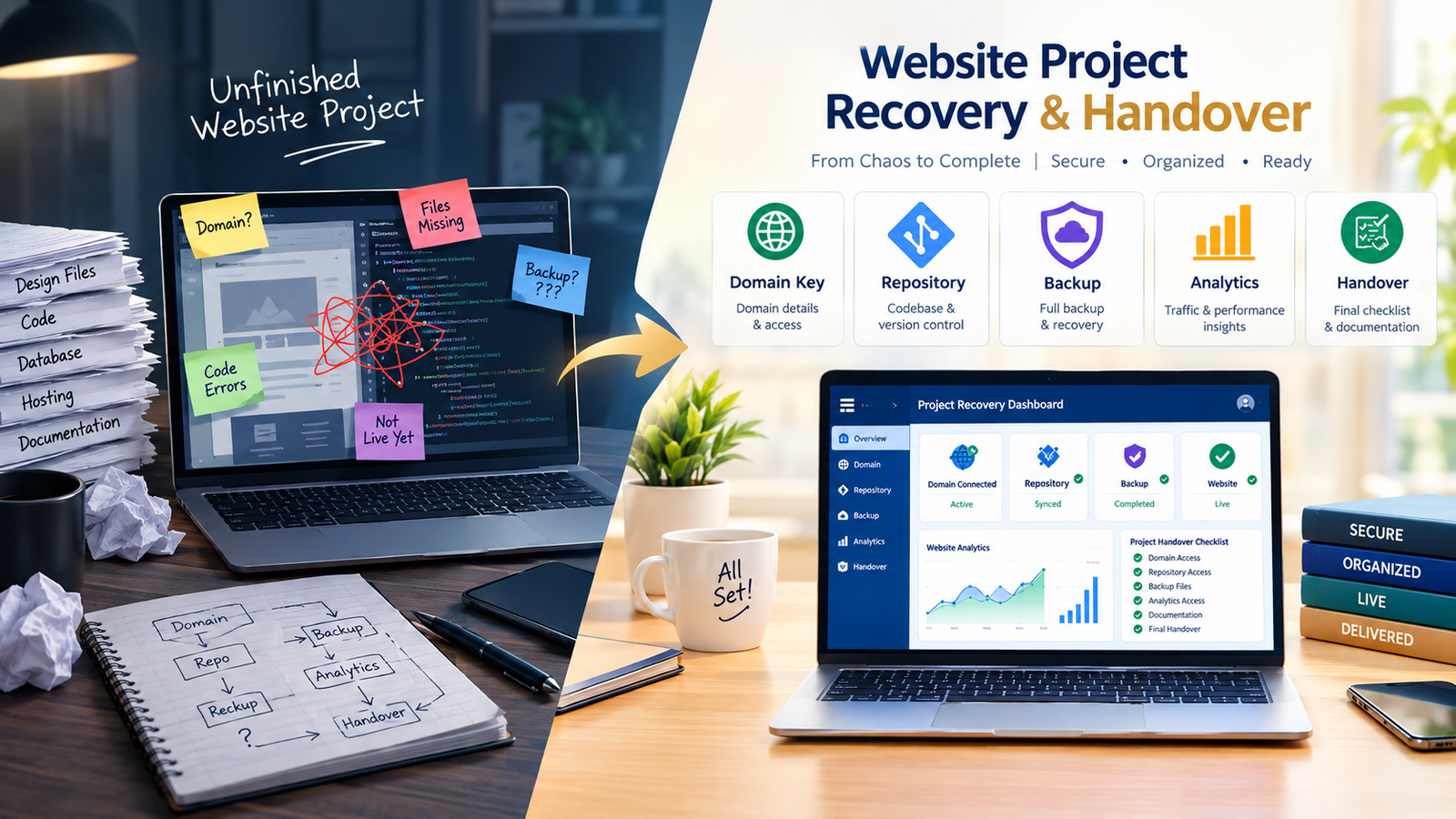
A website project can fail quietly. Deadlines slip, the staging link stops changing, questions receive vague answers and nobody can confirm who controls the domain, hosting or source files. Sometimes the developer disappears. Sometimes the relationship remains polite but the project is no longer moving. Either way, the business needs a controlled recovery, not another rushed rebuild.
If you need to rescue a failed website project, the first decision is not which new designer to hire. It is whether you can prove control of the assets, preserve the work that still has value and separate a delivery problem from a technical problem. That distinction can prevent duplicate spending, lost rankings, broken email and an avoidable dispute.
Quick Answer: To rescue a failed website project, freeze unnecessary changes, secure business-owned access, create independent backups, inventory every asset and ask a new specialist to audit the current build before promising a completion date. Recover the domain, hosting, CMS, code, content, analytics and integrations first. Then choose whether to finish, repair, migrate or rebuild based on evidence rather than frustration.
Key Takeaways
- Access is not the same as ownership. Your business should control the accounts on which the website depends.
- Do not delete, cancel or overwrite anything until independent backups and evidence have been preserved.
- A neutral technical audit should determine what can be reused and what creates unacceptable risk.
- Recover business continuity first, then improve design, SEO and conversion performance.
- The new scope should include acceptance tests, responsibilities, handover deliverables and a written change process.
What Counts as a Failed or Stalled Website Project?
A failed project is not simply a website you dislike. Design revisions, delayed feedback or a difficult feature do not automatically mean the project is beyond recovery. The stronger warning signs affect delivery, control or operational safety:
- No usable progress has been demonstrated for several agreed milestones.
- The supplier cannot provide a current staging site, work log or backlog.
- Critical accounts were created under an individual or agency email instead of a business-controlled account.
- The site only works on the original developer’s computer or hosting environment.
- There is no complete backup, repository, design source or content inventory.
- The delivered work is materially different from the approved scope.
- Security, payment, privacy, accessibility or data-handling concerns are being ignored.
- The project can no longer be estimated because nobody knows what is finished.
A rescue can also be necessary when the website is live but fragile. The business may be unable to update content, receive form submissions, renew licenses or identify which tracking account is collecting data. That is an ownership and continuity failure even if visitors can still open the homepage.
First 24 Hours: Stabilize Before You Change Anything
The first response should be deliberately boring. Do not delete the old agency’s account, cancel hosting, transfer a domain impulsively or install multiple repair plugins. Any of those actions can destroy evidence, break email, invalidate a backup or create downtime.
1. Name one internal recovery owner
Choose one person who can approve access requests, collect files and make scope decisions. Multiple employees contacting the previous supplier with different instructions creates confusion and weakens the audit trail.
2. Preserve communications and approved materials
Collect the signed proposal, statement of work, invoices, payment records, approved designs, content files, meeting notes, change requests and launch commitments. Record facts and dates without rewriting the history. If ownership, payment or termination is disputed, obtain advice from a qualified professional in the relevant jurisdiction before making legal conclusions.
3. Create independent backups
If authorized access is available, capture the database, uploaded media, themes, plugins, configuration files and any custom code. A visual page export is useful for reference but it is not a complete website backup. WordPress documentation, for example, treats the database and website files as separate backup components.
4. Freeze nonessential production changes
Keep genuine security patches and urgent business updates moving, but pause cosmetic changes until a recovery baseline exists. The audit needs a stable version against which problems and improvements can be compared.
Website Ownership and Access Checklist
The recovery team should build an account map. For each item, record the platform, business owner, administrator, billing owner, recovery email, two-factor authentication method and renewal date. Never place passwords or recovery codes inside the same general handover spreadsheet.
| Asset | Evidence of control | Recovery test |
|---|---|---|
| Domain and DNS | Business-owned registrar account, billing and recovery details | Authorized owner can log in, view renewal and manage DNS |
| Hosting or cloud platform | Account ownership, project access, billing and support rights | Team can view the live environment and download a backup |
| CMS | Business-controlled administrator account | Authorized user can log in, add an admin and edit a test page |
| Source code | Repository or complete source package with history where applicable | A clean copy can be installed or built in a separate environment |
| Design and content | Editable design files, approved copy, media and license records | Files open correctly and usage rights are documented |
| Analytics and search | Business is an administrator or verified owner | Team can manage users and view historical data |
| Forms, CRM and email | Business-owned integrations and sender accounts | Test enquiry reaches the right system and named people |
| Commerce and payments | Merchant account remains controlled by the legal business | Authorized user can review transactions, webhooks and payouts |
| Licenses and subscriptions | Product, account owner, renewal, transfer terms and cost | Each critical dependency can be renewed without the old supplier |
Google Search Console distinguishes owners from full and restricted users. Only an owner can manage other users, so merely seeing a performance report does not prove that the business controls the property. Google Analytics also separates administrator, editor, marketer, analyst and viewer permissions. Record the actual role rather than writing “access available.”
For a custom application, access to a ZIP file is weaker than control of a maintained repository. GitHub supports transferring repository ownership, while a repository owned by the business can retain code history, branches, issues and permissions. The appropriate arrangement depends on the contract and any reusable components, but the recovery team must understand what is owned, licensed or excluded.
How to Audit an Unfinished Website Project
A takeover audit should answer one commercial question: What is the safest path to a usable website from the position we are in today? It should not begin with a promise to preserve every page or replace everything.
Technical condition
- Can the site be copied to a controlled staging environment?
- Does the code run without undocumented local files or expired services?
- Are the CMS, theme, plugins, framework and server versions supportable?
- Are there malware, exposed credentials, unsafe permissions or obvious vulnerabilities?
- Do backups restore successfully, not merely exist?
- Are forms, search, login, checkout, booking and integrations functional?
Content and design condition
- Which wireframes and layouts were approved?
- Which pages contain final content and which still contain placeholders?
- Are images, fonts, icons and videos licensed for continued use?
- Does the mobile layout work at common breakpoints?
- Can a future editor update the content without breaking the page?
SEO and measurement condition
- What are the existing live URLs, titles, canonical tags and indexation signals?
- Has any staging domain accidentally been indexed?
- Are redirects planned for changed URLs?
- Are Google Analytics, Search Console and Tag Manager business-controlled?
- Can key actions such as forms, calls, bookings and purchases be tested end to end?
If the current website already attracts traffic, preserve evidence before changing URLs or templates. The same principle used in an SEO-safe website migration applies here: inventory what search engines and users can reach today, then map deliberate changes instead of discovering losses after launch.
Finish, Repair, Migrate or Rebuild?
Most rescue projects fall into four paths. The cheapest-looking option is not always the lowest-risk choice.
| Path | Best fit | Main caution |
|---|---|---|
| Finish the existing build | Architecture is sound, source is available and remaining work is clear | Hidden defects may surface if the original build was not independently tested |
| Repair and simplify | Core platform is usable but features, plugins or designs created unnecessary complexity | Stakeholders must accept that some requested features will be reduced or deferred |
| Migrate selected assets | Content and SEO value are worth preserving but the current environment is unsuitable | URLs, metadata, forms, tracking and data require a documented migration plan |
| Rebuild | Source is missing, security is doubtful, structure is unmaintainable or requirements changed materially | A rebuild still needs recovered content, analytics and ownership information |
Use three scores for each major component: business value, confidence in its condition and cost to preserve it. A custom calculator that supports a critical sales process may deserve careful recovery. A decorative animation with undocumented code may not. A familiar CMS such as WordPress is not automatically reusable either. The question is whether this specific installation is stable, supportable and aligned with the new scope. If it is, an experienced WordPress development specialist may be able to retain far more than a visual review suggests.
How to Brief a New Developer Taking Over the Website
The new brief should describe the current state, not pretend the project is starting fresh. Include:
- Business priority: What must work first for the business to operate or generate enquiries?
- Current environments: Live, staging, repository, hosting, database and local build information.
- Known assets: Approved designs, content, media, code, analytics and integrations.
- Known failures: Reproducible problems with screenshots, affected devices and test steps.
- Constraints: Launch commitments, campaigns, compliance needs, platform dependencies and available internal reviewers.
- Acceptance tests: The observable conditions that define completion for each deliverable.
- Handover requirements: Accounts, code, backups, documentation, training, licenses and support terms.
Ask the specialist to price a discovery or takeover phase separately from implementation when uncertainty is high. It is more credible to pay for enough investigation to create a defensible scope than to accept a fixed completion quote based on screenshots alone. The principles used when evaluating an ecommerce website design company also apply to rescue work: evaluate diagnosis, ownership, risk management and measurable outcomes, not only portfolios and headline price.
Common Website Rescue Mistakes
Removing the previous supplier too early
Secure business access and validate recovery methods first. Revoking an account before ownership tokens, API credentials, deployment knowledge or billing dependencies are understood can create a new outage.
Using shared passwords as the handover
Create named accounts with appropriate permissions. Shared credentials make it difficult to audit changes, remove one person’s access or apply least-privilege controls.
Assuming the live site is the source code
A live site may contain generated or compiled files rather than the editable source, build configuration and history needed for safe maintenance.
Copying the old scope without revalidating it
The original feature list may have contributed to the failure. Recheck which features support the buyer journey and which can move to a later phase. A smaller stable launch can be better than another ambitious incomplete build.
Changing URLs without an SEO baseline
Export current URLs, rankings, landing-page traffic and conversions where available. A stalled redesign should not become an unplanned organic traffic loss. If the website already receives traffic but few leads, use a conversion and growth audit to distinguish recovery work from marketing work.
Choosing the next provider on urgency alone
Urgency matters, but vague promises are how many rescue projects become second failures. Compare the proposed diagnosis, exclusions, reporting rhythm, testing method, handover and post-launch support. Use the website cost planning guide to compare scope and business value rather than assuming the lowest quote reduces exposure.
A Practical Website Project Recovery Plan
- Stabilize: Protect the live business, preserve records and pause unnecessary changes.
- Recover control: Establish business ownership or appropriate administrative control of every critical account.
- Back up: Capture restorable copies before transfers, updates or removals.
- Inventory: List pages, code, content, designs, data, integrations, licenses and outstanding decisions.
- Audit: Test technical health, security, mobile usability, accessibility, SEO and conversion paths.
- Choose a path: Finish, repair, migrate or rebuild each component based on evidence.
- Rescope: Define must-have launch outcomes, later phases, responsibilities and acceptance tests.
- Deliver in checkpoints: Demonstrate working increments in a controlled staging environment.
- Validate: Test forms, booking, payment, email, analytics, redirects, devices, browsers and recovery procedures.
- Hand over: Transfer accounts, code, files, documentation and training, then confirm access from a business-controlled identity.
What a Proper Final Handover Should Include
A handover is complete when the business can operate, maintain and recover the website without borrowing the outgoing supplier’s identity. Depending on the platform and contract, the package should normally identify:
- Domain registrar, DNS provider, hosting and content delivery network
- CMS administrator accounts and permission structure
- Repository, source files, build steps and deployment procedure
- Database and media backups plus a tested restoration method
- Editable design files, brand assets and content sources
- Third-party services, licenses, billing owners and renewal dates
- Forms, CRM, email delivery, booking, payment and webhook connections
- Analytics, Tag Manager, Search Console and advertising pixels
- URL redirect map, SEO metadata and sitemap location
- Known limitations, warranty period, maintenance plan and emergency contact route
The final acceptance test should be performed by someone using the business’s own account, not the developer’s saved session. Ask that person to log in, publish a controlled edit, submit a form, verify the data, download a backup and confirm that billing and account recovery go to the business.
From Recovery to a Better Website Decision
A failed project does not mean every decision, design or line of code is worthless. It means the business no longer has a reliable path from the current state to an accepted result. Recovery restores that path.
With 18+ years of experience and 400+ website and digital projects for international clients, Kanika Gupta helps businesses assess existing WordPress and web builds, clarify what can be retained and plan practical next steps. The goal is not to sell a rebuild by default. It is to establish control, reduce uncertainty and create a website that the business can actually use and maintain.
Frequently Asked Questions
Can a new developer take over an unfinished website?
Yes, if the new developer can obtain authorized access to the relevant accounts, source files, database, content and design assets. The first step should be a takeover audit, because a staging link alone does not reveal whether the build is secure, maintainable or complete.
What access do I need to rescue a failed website project?
At minimum, identify the domain registrar, DNS, hosting, CMS, source code, database, design files, analytics, Search Console, forms and critical integrations. The business should hold suitable ownership or administrator rights, with billing and account recovery under business control.
Should I finish the existing website or rebuild it?
Finish the existing build when the architecture is supportable, the source is available and the remaining work can be tested clearly. Rebuild when security, missing source, obsolete dependencies or deep structural problems make recovery less reliable than replacement. An independent audit should guide the choice.
How long does a website rescue take?
The timeline depends on access, project size, code quality, integrations and how much work is genuinely complete. A responsible specialist will normally inspect the assets and produce a recovery scope before committing to a completion date.
What if the previous developer controls my domain or hosting?
Review the contract, invoices and account records, then request a documented transfer through the provider’s official process. Do not attempt unauthorized access or cancel services impulsively. If ownership is disputed, obtain advice from the provider and a qualified legal professional in the relevant jurisdiction.
How do I prevent another website project from failing?
Use business-owned accounts, milestone demonstrations, written acceptance criteria, a change-control process, regular backups and explicit handover requirements. Make sure the proposal states who owns or licenses the code, designs, content and third-party products, and what happens if either party ends the engagement.