
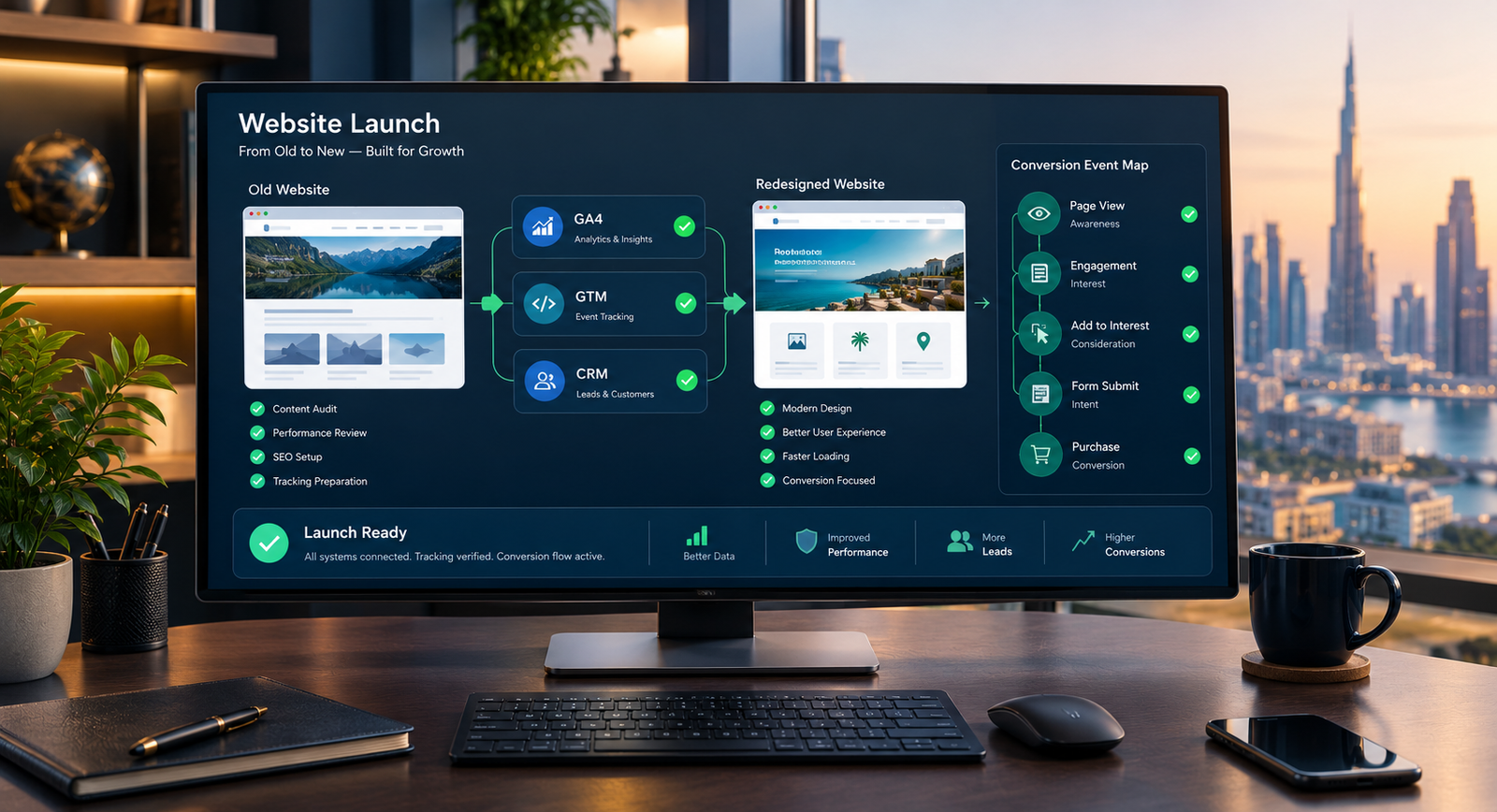
A redesign can improve the website while quietly damaging the evidence used to judge it. Forms change, button labels move, URLs are replaced, thank-you pages disappear and tags that worked on the old site never fire on the new one. A website redesign analytics plan protects the measurement chain before anyone compares the new design with the old.
Quick Answer: Preserve redesign measurement by auditing the current setup before development, recording business conversions and event parameters, mapping every old interaction to the new journey, testing GA4 and GTM on staging, validating CRM attribution, and monitoring launch data for breaks. Do not copy tags blindly. Rebuild the tracking around the new user journey while retaining comparable definitions where they still matter.
Key Takeaways
- Document the current measurement system before templates, forms or URLs change.
- Protect event meaning and parameters, not only GA4 and GTM account access.
- Give every revenue-relevant action an owner, test case and downstream destination.
- Separate staging data from production data and validate both browser events and CRM records.
- Expect legitimate metric changes after a redesign, but investigate sudden gaps, spikes and attribution shifts.
The purpose is not to preserve every historical tag forever. A redesign is an opportunity to remove duplicated, obsolete or meaningless tracking. The goal is continuity where comparison matters and deliberate change where the buying journey has changed.
This work should begin before wireframes are final. If you are still deciding whether the website needs a full rebuild, first compare a redesign, targeted repair and fresh build. Once a redesign is approved, measurement becomes a project requirement rather than a launch-day task.
Why Tracking Breaks During a Website Redesign
Most tracking failures are not caused by GA4 itself. They happen because implementation assumptions change. A tag may rely on a CSS class that the new theme removes. A form plugin may replace a successful submission callback with an inline message. A booking tool may move to another domain. A checkout may become asynchronous. A thank-you page may be removed because the new interface uses a modal.
The website can therefore look correct and still lose measurement at several points:
- the base Google tag or GTM container is missing from one or more templates;
- the same container is installed twice, creating duplicate events;
- events fire on button clicks even when forms fail;
- new URLs and components no longer match old triggers;
- UTM parameters disappear during redirects or booking handoffs;
- cookie-consent behaviour changes which tags can fire;
- CRM fields receive different names, values or empty source data;
- ecommerce item, value or currency parameters are incomplete;
- staging events contaminate the production property;
- internal staff and agency testing inflate launch activity.
A visual quality-assurance checklist will not catch these problems. Measurement needs its own acceptance criteria.
Start With a Measurement Inventory, Not a Tag Export
Exporting a GTM container is useful for backup, but it does not explain why a tag exists or whether the organisation trusts the resulting report. Build a human-readable inventory before copying anything.
| Inventory field | What to record | Why it matters |
|---|---|---|
| Business action | Quote request, booking, call, purchase, qualified lead or another meaningful step | Keeps measurement connected to a decision |
| Event definition | Exact event name, success condition and parameters | Prevents the same name from representing a different action |
| Trigger | Page view, confirmed form success, data-layer event, booking completion or transaction | Shows whether the signal reflects completion or only intent |
| Destination | GA4, Google Ads, Meta, CRM, email platform or internal dashboard | Reveals dependencies beyond analytics |
| Required fields | Source, medium, campaign, landing page, form type, value, currency and identifiers | Protects reporting and attribution detail |
| Owner and consumer | Who maintains the signal and who uses the report | Stops orphaned tags and unexplained dashboards |
| Test evidence | Expected result, test record, screenshot and date | Creates a repeatable acceptance test |
Also record account and container ownership, property IDs, data streams, cross-domain settings, referral exclusions, custom dimensions, key events, audiences, ad-platform links, CRM field mappings, consent-platform configuration and dashboard dependencies. Store access in the organisation’s approved credential system, not in the redesign brief.
Capture a pre-redesign baseline
Save comparable baseline data for a sensible period before launch. Useful measures may include sessions by channel and landing page, confirmed enquiries, phone or booking actions, qualified leads, purchases, revenue, form error rates and CRM opportunity progression. Note campaign changes, seasonality, promotions and outages that could distort the comparison.
A baseline is not a promise that the new site will reproduce every number. It gives the team a reference for investigating changes. A redesign business case should identify which commercial behaviour is expected to improve and which existing assets must be protected.
Build an Old-to-New Event Mapping
For each current event, decide whether to retain, replace, merge or retire it. Add new events only when they answer a real question. Google’s documentation distinguishes automatically collected, enhanced-measurement, recommended and custom events. Google advises using an existing event when it fits before creating a custom one, because recommended names and parameters can support existing and future reporting.
Use the official GA4 event setup guidance to choose the closest valid event type. Then make the mapping explicit:
| Old journey | New journey | Measurement decision | Acceptance test |
|---|---|---|---|
| Contact form thank-you page | Inline success message | Replace page-view trigger with confirmed success event | One event after a valid submission; none after validation failure |
| Phone number in header | Phone links in header, service cards and mobile bar | Retain event, add placement parameter | Each link fires once with the correct placement |
| External booking link | Embedded scheduler | Separate booking start from confirmed appointment | Start event does not count as completion |
| Lead magnet download | Email-gated resource | Track form success and file access separately | CRM record and delivery event contain the source |
| Traditional checkout pages | Asynchronous checkout | Rebuild ecommerce data-layer events | Purchase fires once with transaction ID, value and currency |
The mapping protects semantic continuity. If `generate_lead` previously meant a successful form submission, do not redefine it as any click on the submit button. Historical comparisons would become misleading even though the event still appears in reports.
Create a Website Redesign Analytics Specification
A clear specification should sit alongside the functional requirements. It does not need to be a large technical document, but it must be testable.
Define the conversion hierarchy
Separate primary outcomes from supporting behaviour. A completed consultation request, qualified RFQ, transaction or confirmed booking may be a primary conversion. Viewing pricing, downloading a specification or starting a form may be a supporting event. Marking every interaction as a key event makes performance look busier without making it more useful.
Standardise names and parameters
Use predictable lowercase event names and a documented parameter dictionary. Include values such as form type, service, content group, CTA placement, currency or transaction ID only when the business will use them and the data can be collected safely. Do not send personally identifiable information to Google Analytics. Google’s enhanced-measurement guidance explicitly states that implementers are responsible for ensuring personally identifiable information is not collected.
For ecommerce, follow the GA4 ecommerce event model and validate item arrays, value and currency rather than assuming a thank-you page view is a complete purchase signal.
Specify attribution handoffs
Document how source, medium, campaign, landing page and click identifiers move from the first session into forms, booking tools and the CRM. This is a measurement handoff, not a request to rebuild the CRM. Decide which fields are first-touch, last-touch or current-session values, how long they persist, and what happens when a visitor returns directly.
The new website should also preserve campaign parameters through relevant internal or cross-domain steps without exposing sensitive values. Where the journey moves to a third-party booking or payment domain, test the complete path rather than the first click.
How to Use GTM Safely During a Redesign
Google Tag Manager should not become an unreviewed store of copied scripts. Create named versions, document material changes and limit publishing access. Remove obsolete tags only after confirming that no report, ad platform or workflow depends on them.
Google supports separate Tag Manager environments for development and testing. The exact setup will vary, but the principle is consistent: staging activity should be recognisable and should not silently mix with production reporting.
Before launch, use GTM preview and debug mode to verify which tags fired, what triggered them and what data they processed. Test positive and negative cases. A form-success event should fire after a valid submission and should not fire when a required field is missing, the server rejects the request or a user merely clicks the button.
For each critical journey, test:
- desktop and mobile layouts;
- accepted and rejected consent states;
- new and returning visits where relevant;
- organic, paid, email, referral and direct test URLs;
- successful submissions and realistic failure conditions;
- embedded and external booking or payment steps;
- one event per completed action, without duplication;
- the resulting GA4 event, ad-platform signal and CRM record.
Consent, Privacy and Data Governance
A redesign may replace the cookie banner, consent-management platform or tag-loading order. Google’s consent-mode documentation explains that the default consent state should be set and then updated based on the user’s interaction with the consent interface. The right defaults and lawful basis depend on the organisation, market, technology and data use.
Use the official consent-mode implementation guidance as a technical reference, but do not treat a template or plugin as legal approval. Obtain qualified privacy or legal advice for the applicable jurisdictions. Test consent before launch, including whether analytics and advertising tags respect the intended state and whether changing a preference updates behaviour correctly.
Launch-Day Tracking Checklist
Assign one person to coordinate measurement validation. The developer, marketer, CRM owner and business stakeholder may each own part of the chain, but one launch record should show the status of every critical test.
- Confirm production identifiers. Check the live GTM container, GA4 measurement ID, ad accounts and approved integrations.
- Crawl the main templates. Confirm that the container or Google tag is present once on every intended page type.
- Run critical journeys. Submit each lead form, complete a test booking or transaction, and check the resulting success state.
- Inspect browser and platform evidence. Use preview tools and GA4 Realtime or DebugView where appropriate.
- Verify downstream records. Check that CRM or order records include expected campaign, landing-page and form details.
- Test campaign persistence. Follow tagged URLs through redirects, embedded tools and cross-domain steps.
- Validate consent behaviour. Test relevant accept, reject and preference-change paths.
- Annotate the change. Record launch time, major journey changes, campaign changes and known limitations.
- Preserve rollback evidence. Keep the approved GTM version, mapping sheet and test results.
For WordPress projects, tracking requirements should be included in theme, form and plugin acceptance testing. A WordPress implementation is not complete when the page merely renders; the forms, data layer, consent behaviour and third-party handoffs must also work.
What to Monitor After Launch
Check immediately, then continue across the first several business cycles. A clean test does not prove that every browser, campaign and returning-user path works.
Watch for:
- sharp drops or spikes in sessions, page views, users or key events;
- a sudden increase in direct or unassigned traffic;
- self-referrals from booking, payment or subdomains;
- duplicate leads, transactions or revenue;
- events missing important parameters;
- CRM leads without source or landing-page data;
- differences between confirmed business records and analytics counts;
- conversion changes concentrated on a device, browser, form or template.
Do not expect GA4, CRM and advertising platforms to match exactly. They can use different identity, session, attribution, consent and reporting rules. Look for explainable relationships and stable definitions, not artificial equality.
A redesign can also create legitimate shifts. Improved internal navigation may increase page views. A shorter form may increase submissions but change lead quality. A new booking flow may replace a soft enquiry with a confirmed appointment. Interpret the data with sales and service teams rather than declaring success from a single percentage.
Common Measurement Mistakes
- Copying the old container without review: obsolete tags and fragile triggers are carried into a different interface.
- Tracking intent as completion: clicks are counted even when forms, bookings or payments fail.
- Changing event meaning without documentation: before-and-after comparisons become invalid.
- Testing only the happy path: duplicate submits, validation errors, consent choices and external handoffs are ignored.
- Letting staging pollute production: internal tests appear as genuine traffic and conversions.
- Ignoring the CRM result: browser events fire, but sales receives incomplete or unattributed leads.
- Launching dashboards first: attractive reports are built before trustworthy inputs exist.
Measurement should be designed into the redesign, just as URLs and content must be protected in an SEO-safe website migration. Both require an inventory, mapping, validation and post-launch monitoring, but they protect different forms of business continuity.
The Minimum Handover Package
Before the redesign is signed off, the business should receive:
- measurement inventory and old-to-new event map;
- event and parameter dictionary;
- account, property, container and integration ownership record;
- published GTM version and change notes;
- test cases with pass, fail and exception evidence;
- known limitations and manual reporting steps;
- dashboard or report definitions used for baseline comparison;
- maintenance responsibility for future form, CTA and platform changes.
This package reduces dependence on one developer or agency and makes future changes safer. Kanika Gupta brings 18+ years of experience and work across 400+ website projects for international clients. The practical principle is simple: a redesign is not finished until the business can still see, understand and act on the customer journey it has rebuilt.
Frequently Asked Questions
Will a website redesign affect Google Analytics?
It can. A redesign may change templates, URLs, forms, buttons, consent behaviour, booking tools and checkout flows that existing tags depend on. GA4 data can drop, duplicate or change meaning even when the property remains the same. Audit and map current events before development, then test the redesigned journeys before and after launch.
Should we create a new GA4 property for a website redesign?
Usually, a redesign of the same business and website should preserve the existing GA4 property so historical reporting remains available. A separate property may be justified for a genuinely separate business, legal entity or measurement requirement. Decide through data-governance needs, not simply because the visual design is new.
How do we test Google Tag Manager before the new site goes live?
Use an appropriate staging setup, Tag Manager environments where suitable, and GTM preview and debug mode. Test every critical journey, including successful and failed form submissions, consent choices, bookings, transactions and cross-domain steps. Confirm the browser event, GA4 result and downstream CRM or order record rather than checking only that a tag fired.
Which conversion events should be preserved during a redesign?
Preserve events that represent stable business outcomes or necessary journey steps, such as confirmed leads, appointments, purchases, qualified RFQs and important supporting actions. Retire obsolete or unused events. If the journey changes, document how the new event relates to the old one so reports do not imply false continuity.
How long should we monitor analytics after a website launch?
Validate critical events immediately and continue monitoring across several normal business cycles. The appropriate period depends on traffic, sales cycle, seasonality and campaign volume. Low-volume websites may need longer before performance conclusions are meaningful, but technical gaps such as missing tags, duplicates and empty attribution fields should be investigated at once.
Why do GA4, CRM and advertising conversion numbers differ?
The systems may use different identity, session, attribution, consent and reporting rules. Some browser events may not become valid leads, while CRM records may be created through offline or returning-user activity. The objective is not exact equality. Define each system’s role, reconcile material gaps and keep conversion definitions stable enough to make decisions.