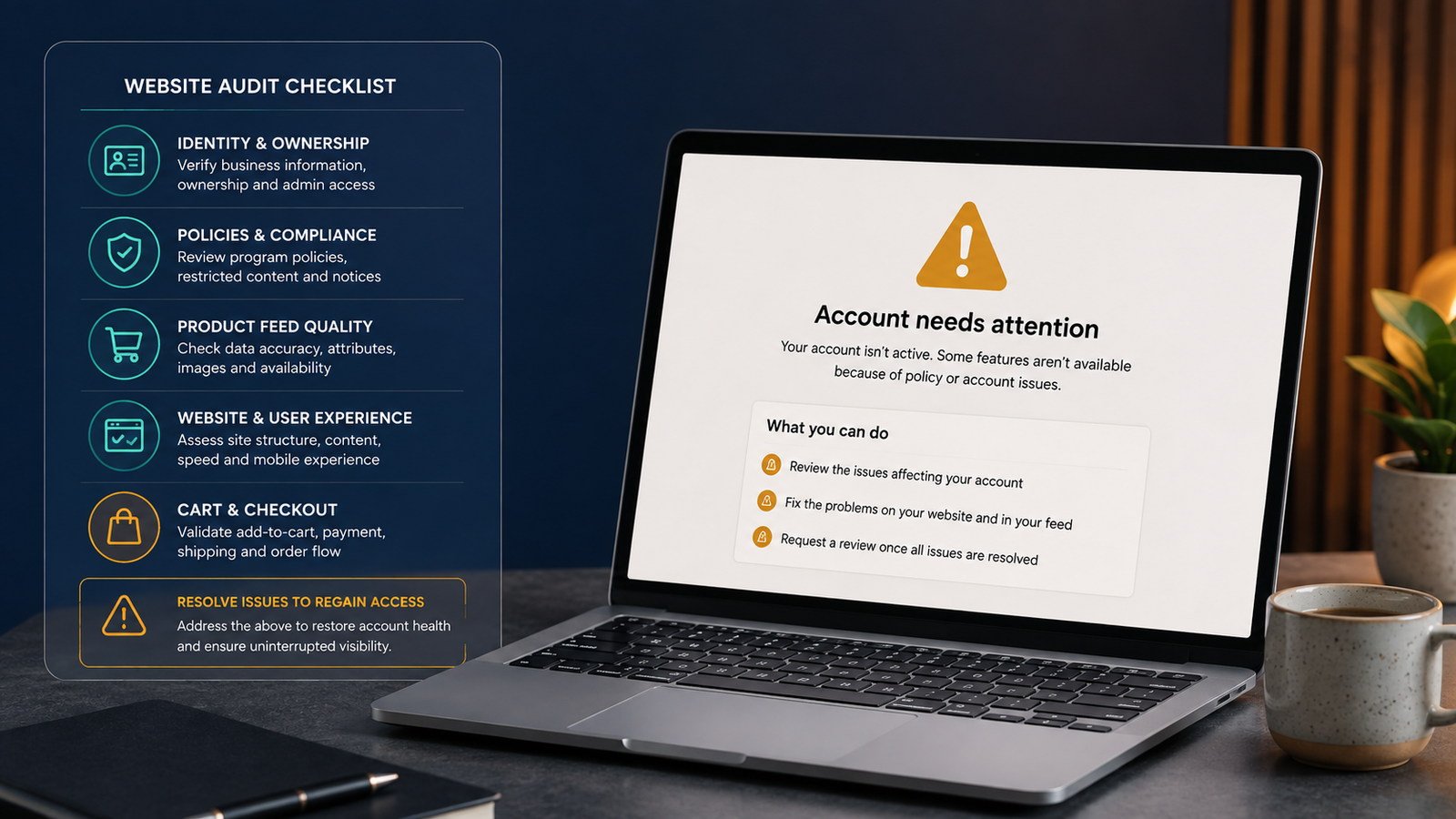
Google describes misrepresentation broadly. Its policy prohibits false or unclear claims about identity, affiliation, products, qualifications, delivery and the terms under which customers give money or personal information. Google’s current Misrepresentation policy gives non-exhaustive examples, while its Merchant Center guidelines require clear contact information, transparent purchase conditions, secure collection of customer information, a working checkout and compliant product data.
This article explains the website and conversion-path checks an ecommerce business should complete before appealing. It is not legal advice, does not claim access to Google’s internal review criteria, and cannot guarantee reinstatement.
Why this problem deserves a full-store audit
Misrepresentation is an account-level trust problem, not simply a cosmetic warning. A merchant may believe the store is transparent because it has a Contact page, refund policy and product descriptions. Yet the overall customer experience can still contain contradictions: one company name in the footer and another in the payment profile; a product feed price that differs from the landing page; an “in stock” item that cannot be purchased; a delivery promise that conflicts with the shipping policy; or a returns promise the business cannot honour.
Recent public discussions show the commercial urgency. One Shopify merchant reported an eight-month suspension and exhausted appeals; Google community users in July and August 2026 described multiple rejected reviews despite extensive changes, including uncertainty over address details, aftermarket-product wording, country settings and price/cart consistency. These discussions are buyer-language evidence, not official policy or proof that any one change will secure approval: Shopify Community, 14 Aug 2026, Google Ads Community, 5 Aug 2026, and Merchant Center Community, 27 Jul 2026.
From a website-rescue perspective, the safest operating principle is simple: do not ask Google to tell you whether a rushed partial repair was enough. Repair the complete promise-to-purchase path first.
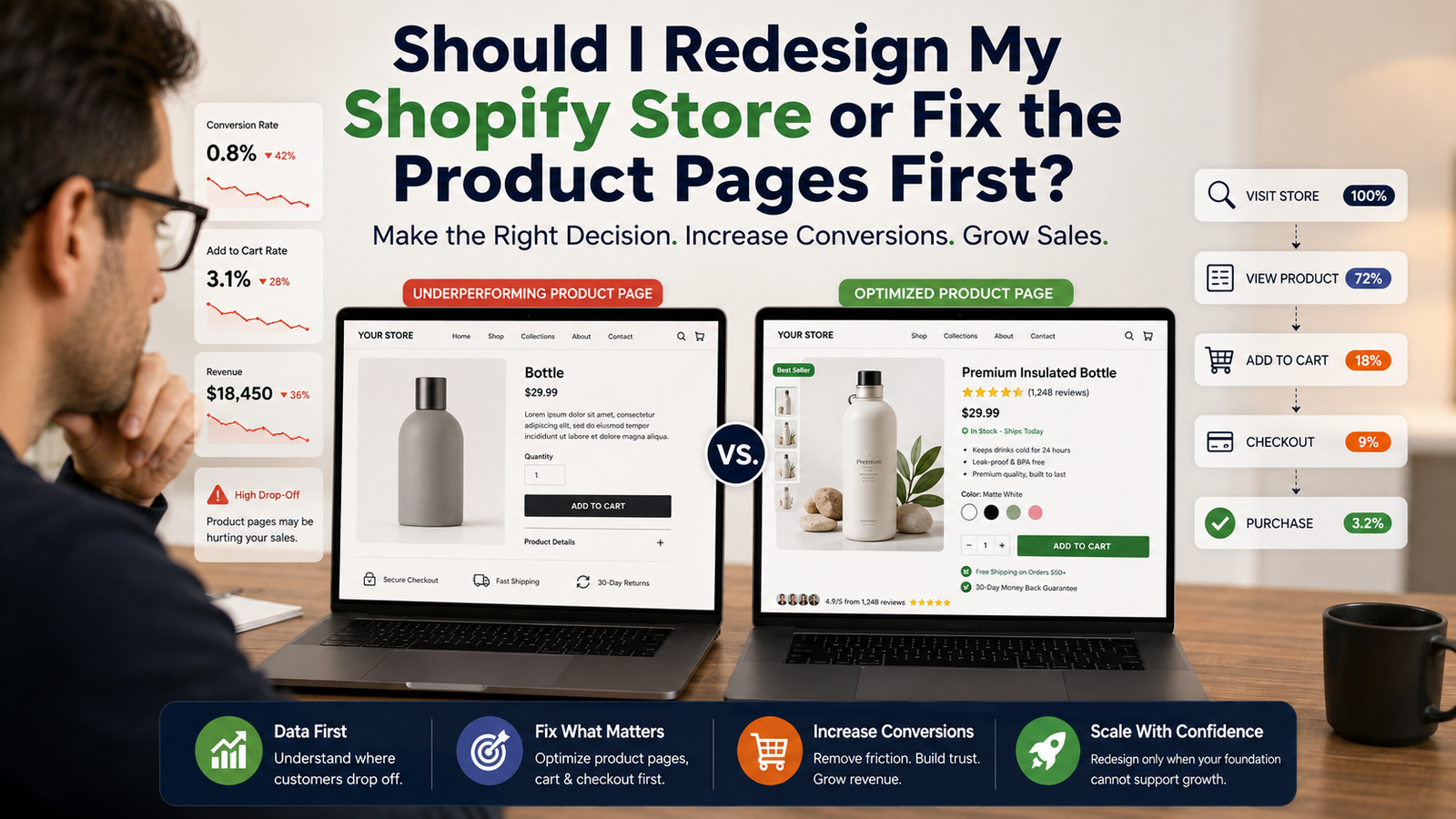
Is Your Ecommerce Website Turning Visitors Into Customers?
A great-looking store is only the beginning. Your website needs to build trust, remove buying friction, and guide shoppers toward checkout. Let’s identify what may be costing you sales.
👉 Get your top 3 conversion leaks identified.
What “misrepresentation” can cover
1. Business identity and contact transparency
A customer should be able to understand who is selling the product, how to contact the business and what entity will fulfil the order. Review the legal or trading name, address, customer-service email, phone number where used, support hours and country across the website, Merchant Center, Google Ads, payments profile, invoices and relevant business listings.
Do not manufacture a local presence, use an address that cannot receive legitimate business correspondence, or display credentials, reseller status or affiliations that the business cannot substantiate. If the brand trades under a different name from the registered entity, explain that relationship clearly in the footer, Contact or About page and legal policies.
2. Product claims, identity and brand relationships
Product titles, descriptions, imagery, variants, condition and compatibility language should describe the item actually supplied. This matters particularly for aftermarket parts, compatible accessories, refurbished goods, white-label products, subscriptions and products requiring licences or qualifications.
A compatible product must not look like an official product from another brand. A reseller claim should be supportable. A “certified” or “authorised” statement should not appear unless the certification or authorisation is real and current. Make the manufacturer, seller and compatibility relationship easy to distinguish on the product page.
3. Price, availability and promotion consistency
Compare the feed, product page, structured data, cart and checkout. Check base price, sale price, currency, taxes, minimum order, required add-ons, subscription terms, shipping charges and stock status. A customer should not discover a materially different price or an unavailable item only after clicking through from Google.
Do not use perpetual “sale” framing, unsupported reference prices or a promotion whose conditions are hidden. If a discount requires a code, membership, bundle, quantity or subscription, disclose that condition before the customer reaches checkout.
4. Shipping, delivery and fulfilment promises
State the countries or regions served, processing time, delivery estimates, shipping cost logic, tracking expectations and relevant restrictions. Product pages, banners, FAQs, policy pages and checkout must not contradict one another. If delivery times vary by product or destination, avoid a universal promise that the business cannot consistently meet.
Google’s policy clarification includes non-delivery and inoperable returns or refunds among the kinds of conduct relevant to misrepresentation. That makes fulfilment capacity and post-purchase service part of the trust audit, not an afterthought: Google policy clarification.
5. Returns, refunds and cancellations
A return policy should say what is returnable, the request window, item-condition requirements, exclusions, who pays return shipping, how to start a return, where it goes and when the refund is issued. If there are no returns or refunds, state that clearly where lawful rather than omitting the policy.
The policy must match operational reality. A generous written promise combined with an unreachable support route, invalid return address or routine refusal can itself undermine trust.
6. Checkout security and completion
Test the buying path as a visitor. A customer must be able to add an eligible item to the basket, see the relevant charges and conditions, select a conventional payment method and reach the payment stage without a broken redirect, account trap or unexplained error. Pages collecting personal or payment information should use HTTPS.
Test desktop and mobile, guest and logged-out states, representative products, common browsers and the principal delivery countries. Do not rely solely on the admin preview.
The pre-appeal audit: a practical sequence
Step 1: Freeze unnecessary changes and capture the current state
Record the exact account issue, affected destination, review eligibility and any deadline or cooldown shown in Merchant Center. Export or capture the current product diagnostics. List recent domain, theme, app, feed, business-profile, currency, fulfilment and policy changes.
This creates a baseline. Without it, teams often make overlapping edits and cannot explain which contradiction was removed or whether a new one was introduced.
Step 2: Build a business-identity consistency sheet
Create one source of truth for the legal entity, trading name, address, service email, phone, support hours, country, domain and payment identity. Compare it with every customer-visible and platform-visible location. Mark differences as intentional and explained, or incorrect and requiring repair.
The aim is not to paste an address everywhere mechanically. The aim is to make the seller’s identity understandable and consistent without false locality or ambiguous ownership.
Step 3: Audit the customer-trust pages
Open the Contact, About, Shipping, Returns/Refunds, Privacy and Terms pages as a normal visitor. Check navigation and footer access, not just whether a URL exists. Remove sample text, unedited placeholders, dead links, conflicting company names and obsolete addresses. Confirm that the support route works, but do not submit test enquiries to a live team without permission.
Also check whether policies are readable on mobile and whether pop-ups or consent layers block critical terms.
Step 4: Reconcile the catalogue, feed and landing pages
Use a representative sample that includes high-volume products, sale items, multiple variants, low-stock items, subscriptions, bundles and products involving third-party brands. For each product, compare feed title, identifier, condition, price, sale dates, availability, image and landing-page content.
Then compare the rendered product page with structured data and the cart. A feed can be technically accepted while the customer-facing promise remains inconsistent.
Step 5: Test the full purchase path
Use non-destructive tests until the payment or order-submission boundary. Confirm that an ordinary customer can choose a valid variant, add it to the basket, see delivery information, enter the correct country or postcode and reach a secure payment method. Never place a real order without authorisation.
Test failures should be recorded with the URL, device, browser, timestamp, visible message and exact reproduction steps. Repair the root cause, then reproduce the path twice after a fresh navigation.
Step 6: Review claims with a sceptical buyer’s eye
Read the homepage, product pages, badges, testimonials, countdowns and promotional banners as if you had never heard of the brand. Ask: Can every claim be proven? Is a trust mark current? Is scarcity real? Does “official,” “best,” “certified,” “guaranteed” or “free” need qualification? Does the customer understand the total commitment?
This is where experienced website review matters. After more than 18 years working with websites, I have found that trust failures often live between components: copy written by marketing, policies copied during launch, product data controlled by an app and checkout settings changed later. Each element may look reasonable alone; the contradiction appears only when the journey is followed end to end.
Step 7: Remove residual template and migration artefacts
Search the rendered site for sample products, demo reviews, placeholder addresses, lorem ipsum, old domains, previous brand names, default social links, theme-author content and staging URLs. Check metadata, email templates and checkout surfaces as well as normal pages.
A migration is not complete when the homepage looks finished. It is complete when the old identity and test content no longer surface in the customer journey.
Step 8: Document repairs and perform a second-person review
Keep a concise change log: issue, evidence URL, correction, date, owner and verification result. A second reviewer should test the site without relying on the first reviewer’s assumptions. This is especially valuable for address, refund, price and brand-relationship wording.
Step 9: Request a review only when the evidence is ready
Follow the review route shown in the account. Do not create replacement accounts or domains to evade an enforcement action. Do not submit repeated reviews simply to ask what is wrong. If the account offers a limited review path or cooldown, preserve that opportunity for a documented, complete repair.
In the review explanation, be factual: identify the corrected areas, give relevant URLs and explain how the website, feed and business data now agree. Avoid blaming automation, making unsupported promises or declaring compliance without evidence.
What Is Holding Your Online Store Back?
A website can look professional and still lose customers at critical moments. Before investing in a redesign, identify where your current ecommerce experience is creating friction.
- Product Page Experience
- Mobile Shopping UX
- Trust & Credibility
- Conversion Flow
- Checkout Friction
- Customer Journey
Get a Clearer View of Your Store
Book a quick 30-minute call to discuss your website, conversion challenges, and the improvements that could make the biggest difference.
Book Your Free Strategy Call →Common fixes that are too narrow
- “We added a refund page.” A page does not resolve contradictory wording, an unusable return route or a checkout that presents different conditions.
- “The feed app says there are no errors.” Feed validation is not the same as a trustworthy rendered landing page and purchase path.
- “The address is in the footer.” The address still needs to represent the real business accurately and agree with other material records.
- “We changed the theme.” A redesign cannot repair inaccurate product data, fulfilment promises or business identity by itself.
- “An AI tool gave us a checklist.” A checklist can organise work, but it cannot verify real inventory, licences, fulfilment capacity or the precise account context.
- “We will appeal and fix the rest later.” That approach risks spending a review opportunity before the commercial path is genuinely consistent.
Website repair scope: what a specialist can do
A useful Merchant Center website-rescue engagement should have boundaries. It should not sell guaranteed approval. A fixed scope can include:
- business-identity and customer-trust page audit;
- homepage, product, cart and checkout review on desktop and mobile;
- feed-to-page checks for a defined catalogue sample;
- price, currency, stock and promotional consistency checks;
- shipping, returns and contact-path corrections;
- template-residue and migration clean-up;
- developer-ready issue log with evidence URLs and reproduction steps;
- implementation of agreed website fixes;
- post-repair regression testing and a factual review-request summary.
Work that requires legal interpretation, proof of licences, inventory verification, account ownership or fulfilment evidence must remain with the merchant and the relevant professional advisers. A website specialist can make the customer journey accurate and coherent; they cannot invent facts that the business cannot substantiate.
Cost, risk and ROI: how to judge a repair quote
Because a suspension can involve different platforms, catalogue sizes and operational facts, a credible provider should inspect the scope before giving a fixed price. Avoid quotes based only on the warning label or promises of guaranteed reinstatement.
Ask whether the quote includes the rendered website, feed sample, cart, checkout, policies, mobile testing, correction work, regression testing and documentation. Clarify the number of products or templates reviewed, which platforms are covered, who supplies business proofs, and what happens if the audit uncovers an operational issue outside web development.
The commercial case is broader than ad reinstatement. Accurate prices, clear delivery terms, working support and a reliable checkout reduce customer confusion and make the store safer to scale across organic, paid and direct channels. The repair should therefore leave the website stronger even if Google requests further review.
How long does a misrepresentation repair take?
There is no responsible universal promise. A small store with one theme, a clean catalogue and a few content inconsistencies may be audited and repaired faster than a multi-country store with thousands of variants, multiple feeds, subscriptions, third-party fulfilment and conflicting business records. Google controls the platform review timeline.
A useful estimate separates three stages: audit, implementation and post-repair verification. It should also identify merchant-owned dependencies such as legal details, warehouse data, returns operations and product authorisations.
Not Sure What Your Ecommerce Website Needs?
Let’s spend 30 minutes looking at your website, identifying the biggest conversion opportunities, and discussing what could help turn more visitors into customers.
Book Your Free 30-Minute Call →Frequently asked questions
What causes a Google Merchant Center misrepresentation suspension?
Google’s policy covers misleading or unclear identity, affiliation, products, qualifications, delivery and purchase conditions. The precise account cause may not be disclosed. Audit the website, feed, checkout and business data together instead of assuming one missing page is responsible.
Can adding contact, shipping and refund pages fix it?
They are important, but pages alone are not enough. Their details must be visible, accurate, mutually consistent and operationally true across the store and relevant account data.
Should I request a review immediately after making one change?
Usually, complete and verify the full repair first. Check the review instructions and status shown in your own account, because available routes and cooldowns can vary.
Can a web designer guarantee Merchant Center reinstatement?
No. Google makes the enforcement decision. A specialist can audit and repair the website and conversion path, document evidence and reduce inconsistencies, but should not promise approval.
Does moving to a new domain or opening another account solve the suspension?
Do not attempt to evade enforcement through replacement accounts or domains. Follow Google’s official account guidance and correct the underlying business, data and website issues.
Do I need to redesign my entire ecommerce website?
Not necessarily. A focused website-rescue scope may correct identity, policy, product, cart and checkout problems without forcing a full redesign. The audit should determine whether the architecture itself prevents reliable fixes.
Can Shopify, WooCommerce or another platform cause misrepresentation?
The platform is not the diagnosis. Themes, apps, feeds and settings can create inconsistencies, but the merchant remains responsible for the complete customer experience and submitted product data.
What evidence should I keep before requesting review?
Keep the warning details, diagnostics, change log, affected URLs, before-and-after evidence, test results and a concise explanation of how the website, feed and business information now align.
Need a focused website-rescue audit?
If your store has a Merchant Center misrepresentation suspension, I can inspect the website-side trust and conversion path, identify reproducible inconsistencies, prepare a developer-ready repair scope or implement the agreed fixes as a standalone task. This is not a guaranteed-approval service; it is an evidence-led website repair designed to make the store accurate, usable and defensible.
Contact Kanika Gupta, Website Rescue & Conversion Specialist at KG Web Designer, email kanika@kgwebdesigner.com, call/WhatsApp +91 99719 66296, or request a consultation through the website.