A med spa booking system should do more than fill a calendar. It needs to offer the right appointment, reserve the right resources, explain payment terms and tell staff what happens next. Otherwise, a polished website simply delivers confusion to reception faster.
Quick Answer
Choose a med spa booking system around your consultation workflow, not the longest feature list. It should distinguish new and returning clients, coordinate practitioners and equipment, manage deposits clearly, send appropriate reminders and assign follow-up. Keep clinical information in an approved environment, verify the website integration on mobile and measure confirmed appointments separately from booking-button clicks.
Key Takeaways
- Separate consultation requests, confirmed appointments and treatment eligibility.
- Choose one authoritative appointment calendar and one owner for each handoff.
- Test deposit refunds, rescheduling and failed payments before accepting live bookings.
- Keep clinical intake separate from ordinary marketing tools and analytics.
- Evaluate attended consultations and staff workload, not only online bookings.
What should happen after someone clicks Book?
Start by defining what the visitor is allowed to book. A first consultation, a returning-client appointment and an enquiry about suitability are different actions. They should not share an ambiguous confirmation message.
For services that require assessment, use a consultation-first route approved by the clinic’s clinical lead. Do not let a booking widget imply that selecting a procedure confirms suitability. Where direct booking is appropriate, explain who can use it and provide an alternative for uncertain visitors.
The distinction between day spa and med spa booking journeys matters here. A relaxation package and an assessment-led aesthetic service can require different decisions before the calendar appears.
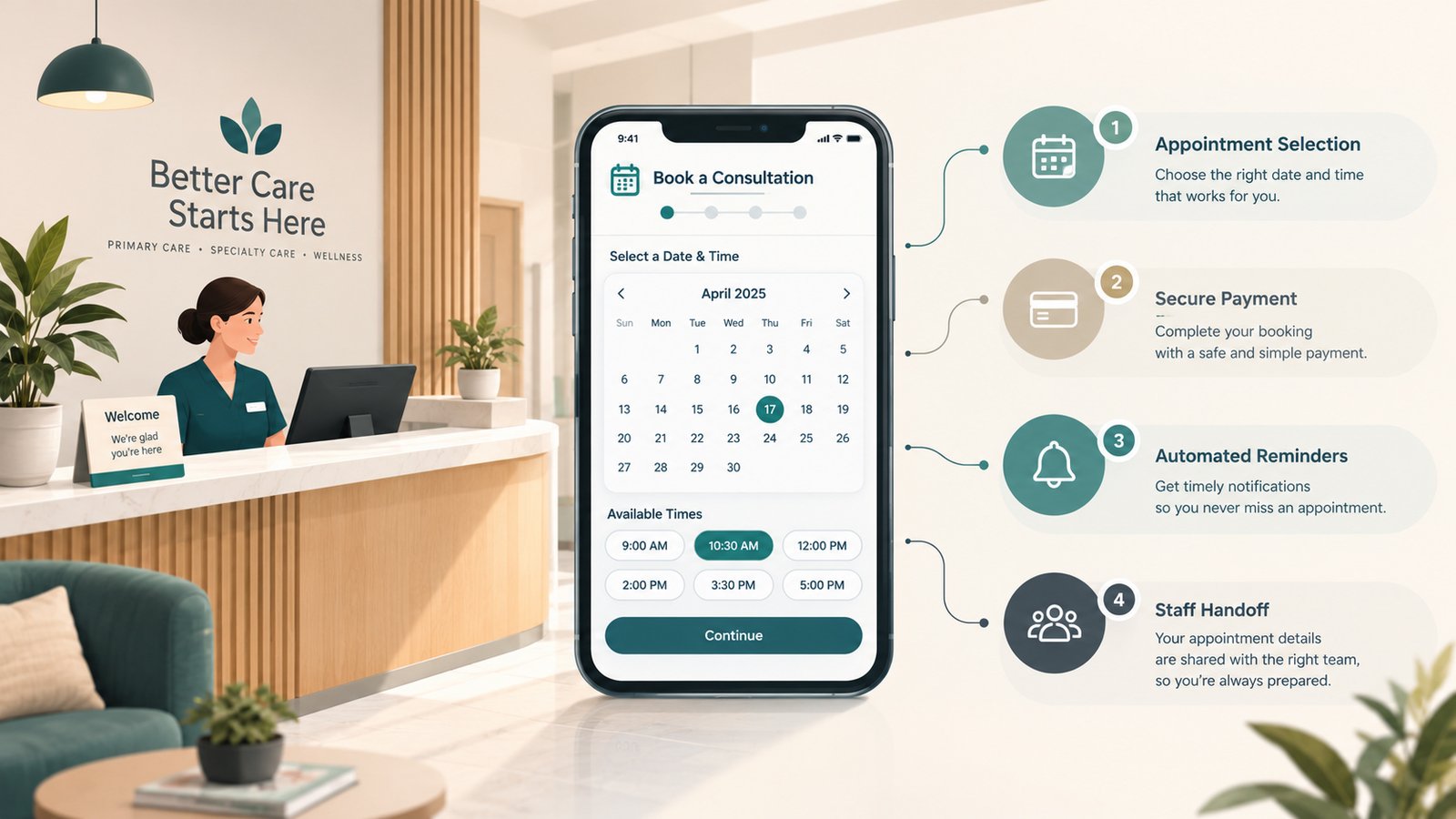
Create three clear outcomes: an enquiry awaiting staff review, a temporarily reserved slot awaiting payment, and a confirmed appointment. Define when an unpaid reservation expires and what happens if payment arrives afterward. Each outcome needs different wording and an assigned owner. A thank-you screen should never promise an appointment that the operating calendar has not accepted.
Choose the med spa booking system architecture before the vendor
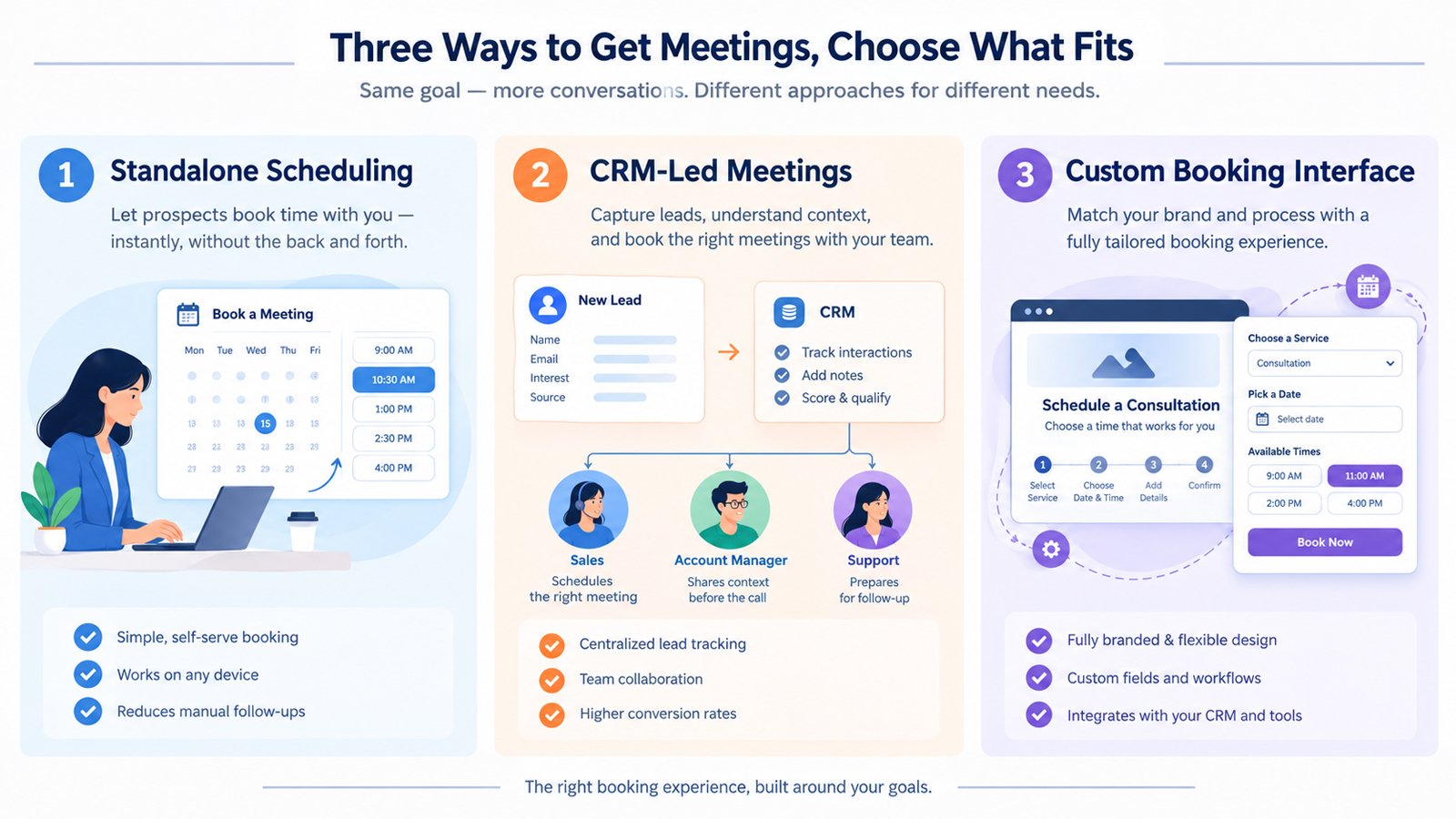
Most clinics are choosing between three approaches. The right one depends on existing systems, operational complexity and what the website actually needs to handle.
| Approach | Suitable starting point | Main risk to test |
|---|---|---|
| Existing clinic platform connected to the website | Your current system handles approved scheduling and client records adequately. | The embedded or hosted journey loses treatment context or performs poorly on mobile. |
| Specialist scheduling platform with controlled integrations | You need stronger resource scheduling, payments or appointment communications. | Two systems create conflicting records, calendars or reminders. |
| Custom website interface connected to an approved backend | Your workflow cannot be represented adequately by the vendor’s standard booking journey. | API limitations, ongoing maintenance and failure recovery are underestimated. |
Do not replace a working clinical platform merely because its booking screen looks dated. First investigate supported styling, service-specific links and simpler website navigation. Equally, a beautiful custom interface is not a substitute for reliable availability and appointment records.
Zenoti’s medical spa scheduling documentation describes provider-specific scheduling, consultation appointment types and reminders. Those are useful capabilities to investigate, not proof that any particular configuration meets your clinic’s needs. Ask for a demonstration using your actual workflow.
The vendor demonstration should include a conflict
Give the vendor a realistic scenario: two practitioners share one treatment room and one device. A returning client has package credit, while a new visitor needs assessment. Ask them to book, reschedule, cancel and reconcile both journeys. A presentation showing only an empty calendar tells you very little.
Confirm regional availability, payment support, account access, exports and integration permissions in writing. Features shown in a demonstration may depend on a particular subscription, add-on or market.
Make booking rules reflect how the clinic operates
Document appointment types before configuring them. For each one, identify the eligible practitioner group, duration, preparation and turnaround time, room or equipment requirement, permitted location, payment rule and staff-review requirement.
Use visitor-friendly labels. Internal treatment codes belong in the backend, not in a menu that expects a first-time client to understand your service catalogue. Include a clear option for someone who does not know which appointment to choose.
Returning clients should not automatically bypass every assessment step. The clinical team should define when reassessment is necessary and how the system applies that rule. The website implements those decisions; it should not make them.
For growing practices, location-specific med spa website architecture must connect to real availability. A location page should not send visitors to a booking menu that silently defaults to a different branch.
Deposits: write the policy before switching on payments
A deposit is an operational commitment, not just a checkout setting. Before collecting one, explain the amount, what it reserves, whether it is credited toward the consultation or treatment, and what happens if the clinician determines that treatment is unsuitable.
Also define cancellation deadlines, rescheduling rules, late arrival, clinic cancellation and refund handling. Have appropriate local advisers review the terms. Do not assume that calling a payment non-refundable makes every retention enforceable.
Mangomint documents full-payment and partial-deposit options for online booking, alongside configuration restrictions. This illustrates why checking a feature box is not enough: the payment-account setup can affect the journey you can offer.
Test four cases: successful payment, declined payment, interrupted checkout and a duplicate retry. Confirm whether a temporary slot remains reserved, when it expires and whether staff receive an alert. A payment without an appointment is as serious as an appointment without the expected payment.
Keep payment-provider references available to authorized staff for reconciliation. Avoid collecting card details in ordinary website forms or email. Document who can approve refunds, how the client receives confirmation and how a changed appointment affects the original deposit.
CRM handoff: track the next action, not a pile of contacts
For booking purposes, a customer relationship management system needs to answer three questions: what stage is this person at, who owns the next action, and when is it due? It does not need a copy of every clinical detail.
A practical pipeline distinguishes enquiry received, staff review needed, consultation booked, attended, awaiting decision and closed. Keep cancellation and no-show states identifiable. Agree which system owns each status and how corrections are handled.
Use a stable appointment identifier internally, so rescheduling updates the existing appointment instead of creating another lead. If integrations retry a failed update, the same event should not create duplicate records or trigger repeated messages.
Define an exception queue for bookings that fail to synchronize. Someone must check it, resolve conflicts and record the correction. Silent automation failures are difficult to spot when the website still displays a cheerful confirmation.
Reminders and consultation follow-up need different rules
A reminder helps someone manage an appointment they already made. A promotional sequence tries to influence a future purchase. Keep these purposes separate in your workflow, communication preferences and professional review.
As an illustrative starting point, send confirmation immediately, then a reminder at a clinic-approved interval before the visit. Add a second reminder only if your attendance data justifies it. Include a clear rescheduling route and avoid unnecessary treatment detail in lock-screen notifications.
Instructions about preparation, suitability or aftercare should use clinically approved wording and appropriate delivery channels. Marketing staff should not improvise them. A reply describing a possible complication needs escalation under the clinic’s protocol, not another sales message.
After a consultation, give follow-up an owner and a reason. That might be answering an agreed question, clarifying a quote or helping with a scheduling request. Stop the sales sequence when someone declines, opts out or requires clinical review. Automated persistence is not the same as useful support.
Keep clinical data out of ordinary marketing tools
Ask your privacy lead to draw the boundary between public website enquiries, scheduling information, clinical intake, payment records and marketing analytics. Decide which information each tool genuinely needs.
In the US, HHS explains that HIPAA applies to covered entities and relevant business associates. A clinic’s obligations cannot be determined from the label med spa alone. Have a qualified adviser assess applicability, contracts and the actual data flow rather than accepting a vendor badge as a complete answer.
For clinics in the UK, Canada, Australia and UAE, obtain jurisdiction-specific advice before selecting storage locations, communication channels or cross-border integrations. This is a website implementation guide, not medical, legal, privacy or financial advice.
Collect the minimum needed for the initial step. Detailed medical histories and photographs belong in a clinic-approved intake environment, not a generic contact form simply because that form is convenient to build.
Can the system work properly with WordPress?
Yes, but the implementation method matters. A supported link to a hosted booking page can be more dependable than a fragile embedded widget. An embed may feel more consistent, but it still needs testing for focus, scrolling, error messages and payment redirects.
Keep treatment information readable on the website before opening the scheduler. Explain consultation fees and what happens next near the button. Our guide to what med spa treatment pages should explain addresses that earlier decision stage.
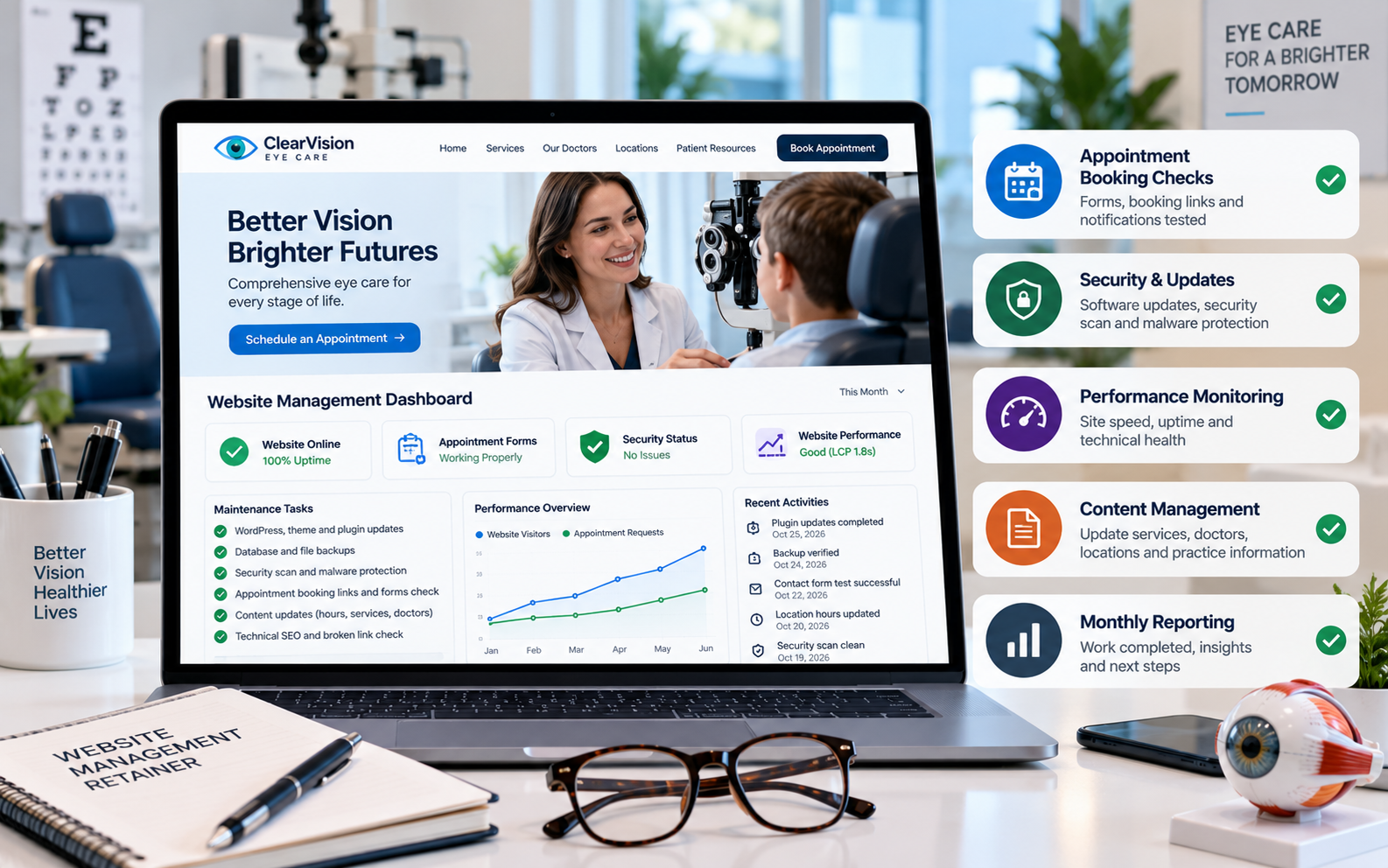
Use supported configuration rather than brittle scripts that manipulate a third-party interface. Where custom development is necessary, define API permissions, error handling, maintenance ownership and fallback contact routes. WordPress implementation support should include these dependencies, not merely adding a booking button.
Budget for the operating system, not just the subscription
Request separate costs for software, onboarding, migration, website integration, payment processing, messaging, staff training and ongoing support. Ask what happens when you add practitioners, branches, automations or reporting requirements.
Compare the total first-year commitment and the work required to leave. Include contract length, data exports, account ownership and the cost of rebuilding integrations. A low subscription price can conceal substantial manual administration; a larger package can also be unnecessary for a simple clinic.
Use your own numbers to assess value. For example, compare total monthly system cost with administrative hours saved and the contribution from genuinely additional attended consultations. These are evaluation inputs, not promised savings or revenue. Deposit receipts alone are not evidence of additional profit.
Pre-launch booking checklist
Run these checks with test identities and approved payment testing methods. Have reception, the implementation specialist and a clinical decision-maker sign off on their respective responsibilities.
- Routing: New, returning and uncertain visitors reach the correct appointment type.
- Availability: Practitioner absence, room conflicts and equipment restrictions block unsuitable slots.
- Payment: Declines, duplicate retries, refunds and rescheduling produce correct records.
- Confirmation: The screen, email and operating calendar agree on time, location and appointment status.
- Mobile access: Complete booking with a small screen, keyboard navigation and enlarged text.
- Handoff: CRM failures produce a visible staff task without duplicate reminders.
- Recovery: A widget outage, missing confirmation or failed synchronization has a documented fallback.
- Ownership: The clinic controls accounts, staff access, exports and support contacts.
Measure the journey without exposing patient details
Separate booking-button clicks, booking starts and confirmed appointments. A visitor opening a calendar has not booked. Where the platform provides a reliable completion event, reconcile it with accepted appointments and avoid counting reloads twice.
Do not push patient identifiers into analytics to perform that reconciliation. Google’s Analytics guidance prohibits sending personally identifiable information. Review URLs, form values and event parameters before enabling tracking. Never assume that removing names makes sensitive appointment data appropriate for an advertising platform.
Use operational reports for attendance, cancellations, staff response times and follow-up outcomes. If compliant website completion tracking is unavailable, report booking clicks honestly as clicks and use the booking system for confirmed totals. Do not manufacture attribution precision.
Review results after a defined operating period. If bookings rise but attendance falls, inspect appointment expectations and reminders. If calendar starts rise but completions do not, inspect availability, payment friction and mobile errors before buying more traffic.
Frequently Asked Questions
What is the best med spa booking system?
The best fit is the system that supports your approved consultation pathway, practitioner and resource rules, payment policies and staff handoff. Test these workflows with real scenarios before comparing optional features or subscription prices.
Should new clients book a treatment or a consultation?
Use the route approved by your clinical lead for the service and jurisdiction. Where assessment is needed, direct new clients to a consultation and explain that booking does not establish treatment suitability.
Can I take deposits through my med spa website?
Yes, if your selected booking and payment setup supports them. Publish professionally reviewed terms, explain how the deposit is applied and test declined payments, cancellations, rescheduling and refunds before launch.
Do I need a separate CRM for booking follow-up?
Not necessarily. Your existing platform may already manage appointment stages, ownership and follow-up tasks. Add a separate CRM only when it solves a documented gap and can exchange the necessary information without creating conflicting records.
Can booking software connect to an existing WordPress website?
Often yes, through a supported booking link, embed or documented integration. Confirm the vendor’s available options and test mobile use, payment redirects, appointment confirmation and failure recovery before publishing.
How do I know whether the booking system is helping?
Compare booking starts with confirmed appointments, then review attendance, cancellations, response times and follow-up outcomes in approved systems. Keep button clicks separate from completed bookings and do not send patient details to marketing analytics.