
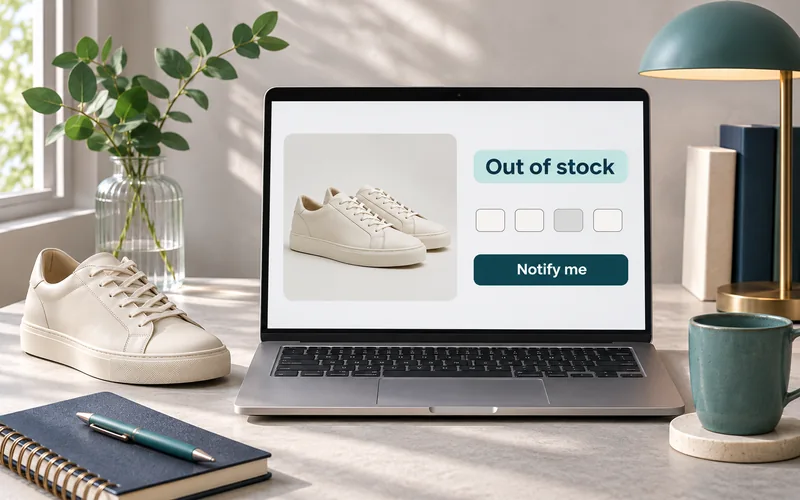
A shopper selects the right product, chooses a size and discovers it is unavailable. The next decision belongs to your store: explain the wait, suggest a suitable alternative, accept a properly disclosed backorder, or retire the product page. Each choice changes more than a button. It affects the customer promise, checkout behavior, inventory rules and the product information Google receives.
Quick Answer
For a temporary stockout, usually keep the useful product page live, explain availability and offer a relevant next step. Treat backorders, unreleased preorders and permanent discontinuations as different states. Before changing a URL, check replacement relevance and ongoing customer needs. Keep the selected variant, checkout, structured data and product feed consistent with the actual purchase experience.
This guide is for owners and ecommerce managers of Shopify and WooCommerce stores, particularly apparel, beauty, premium products and D2C brands serving the US. It provides implementation recommendations, not a guarantee that a URL will retain rankings or that an alert will recover a sale.
First, Check Where the Sale Is Being Lost
If traffic reaches your store but orders remain weak, investigate availability alongside product information, trust and checkout. A stockout may explain one segment of the problem.
Review the Ecommerce FunnelStart With the Product State, Then Choose the Page Behavior
Ask the inventory owner whether the same product and variant will return, whether a buyer can place an order now, and what fulfillment commitment can honestly be made. A supplier’s informal restock estimate is not automatically a customer shipping date.
| Actual business state | Useful customer path | Page and ordering decision |
|---|---|---|
| Temporary shortage, orders stopped | Availability explanation, variant-specific alert, suitable alternatives | Usually retain the useful page with HTTP 200 and block the unavailable purchase. |
| Existing product, orders accepted before replenishment | Clearly disclosed backorder with fulfillment expectations | Retain the page and test backorder behavior through checkout and confirmation. |
| New product not yet released | Preorder journey with release and shipping information | Use preorder behavior only if operations can support the offer. |
| Product permanently replaced | Explanation or direct successor | Consider a permanent redirect only when the destination satisfies the old product’s intent. |
| Discontinued but still useful for owners | Compatibility details, manuals, care, warranty route or successor comparison | A useful reference page may deserve to remain accessible. |
| Permanently removed, no useful content or relevant successor | Helpful error page with navigation | Consider a genuine 404 or 410 rather than an unrelated redirect. |
The table is a professional decision framework. HTTP status behavior is documented in Google’s crawler guidance: a successful response permits processing but does not guarantee indexing. Stockout handling must also preserve the page’s usefulness.
Do Not Confuse an Unavailable Size With an Unavailable Product
For an apparel item, size M can be unavailable while sizes S and L remain purchasable. Showing “Sold out” before a shopper chooses a size may misrepresent the whole product. Showing “In stock” after M is selected creates a different problem.
Use an explicit variant state: identify unavailable combinations, keep available options understandable, and update the message and action when the selection changes. Test direct links from ads, search results and notification emails. They should open the intended variant rather than silently selecting whichever option appears first.
For broader size, fit and product information requirements, use the apparel ecommerce purchase-confidence checklist. Availability belongs beside those purchase decisions, not in a generic announcement bar.
The Seven-Surface Availability Check
A store can show correct inventory in the admin while still giving contradictory information to customers. Audit one real SKU across every surface below. This check is designed to expose disagreement, rather than assume a plugin or feed integration solved it.
| Surface | Question to verify | Evidence to capture |
|---|---|---|
| Inventory source | Which quantity, location and reservation rules determine online availability? | SKU, location, timestamp and inventory setting. |
| Selected variant | Does the requested size, color or pack remain selected? | Direct variant URL and screenshot after selection. |
| Product page | Do message, price and action describe the same offer? | Mobile and desktop views, including disabled or backorder state. |
| Cart and checkout | Can a blocked item still be bought? Does a permitted backorder remain disclosed? | Attempted purchase and confirmation result. |
| Structured data | Does availability describe the same selected offer? | Rendered markup and structured-data test. |
| Merchant feed | Do the submitted item and landing URL match the actual variant? | Item ID, submitted status, last update and diagnostics. |
| Restock notification | Does the email open the right item while it is still available? | Test subscription, trigger, email and destination. |
Google Merchant Center requires consistent availability across the landing page, checkout, structured data and data source. Its availability specification distinguishes out_of_stock, preorder and backorder. Preorder applies to an unreleased product; a returning existing product that remains orderable uses backorder. The relevant availability date must also be supplied and visible. Check current country and offer requirements before activating a feed.
Do not use these feed values as a substitute for customer-facing explanation. State what can be ordered, the expectation being offered and any verified limitation. Do not publish a precise date if operations cannot substantiate it.
Shopify: Check Selling Rules and Fulfillment Locations
Shopify’s out-of-stock selling documentation explains that “Continue selling when out of stock” permits overselling when inventory tracking is enabled. Availability also depends on whether the stocked location fulfills online orders. Stock at a location that does not fulfill online orders does not automatically make the online offer purchasable.
- Identify the product and exact variant. Confirm inventory tracking and the intended selling rule.
- Check which locations hold stock and which fulfill online orders.
- Test the theme’s selected-variant message and purchase action.
- Verify that any preorder or backorder app has not created a conflicting rule or confirmation message.
- Check the feed connector after the storefront update. Capture update timing instead of assuming instant synchronization.
Do not enable overselling merely to avoid an empty purchase button. First decide how payment, fulfillment, customer communication and cancellation will work. The appropriate implementation depends on the store’s actual offer.
WooCommerce: Separate Stock Visibility From Ordering Permission
WooCommerce has distinct controls for inventory management, out-of-stock catalog visibility and backorders. Its product settings documentation describes catalog visibility, while the product editor reference explains backorder options and their notice behavior.
Hiding unavailable items from a catalog is not the same as removing their URLs from search engines. A product can disappear from category browsing while a bookmarked link or search result still reaches it. Decide what that visitor should see.
For variable products, test the actual variation rather than only the parent product. Also test your cart and checkout implementation: a theme, extension or custom template can change how notices appear. Prefer an explicit customer explanation and verify the complete order record and email before accepting backorders.
Fix the Availability Journey Across the Store
When variant logic, forms, inventory connectors and theme templates disagree, changing page copy alone will leave the problem unresolved. A scoped development review can define the rules and acceptance tests.
Explore Apparel Store Design and FunctionalityMake Back-in-Stock Alerts Specific and Honest
A restock alert should identify the product, exact variant and contact channel. Confirm that subscribing does not reserve inventory. Explain what notification the customer is requesting, with privacy and marketing permissions reviewed for the relevant market.
A useful operational design includes duplicate-subscription handling, removal of invalid addresses, suppression of discontinued variants and a way to stop notifications. Keep the restock request distinct from an unrelated promotional subscription. Have a qualified reviewer determine applicable email, SMS and privacy obligations rather than copying generic consent text across countries.
Plan for a small replenishment. If 500 people requested an alert and only five units arrive, sending every message simultaneously may create immediate disappointment. Decide whether alerts use batches, stock thresholds or another reviewed allocation process. These are implementation options, not promises that an app provides them automatically.
For a new store, include the unavailable-product path in the Shopify launch testing process, alongside payment, shipping and email checks.
Recommend Alternatives by Fit, Not Just Availability
A replacement should match the need that brought the visitor to the original product. For clothing, explain differences in fit, fabric and size. For equipment or accessories, verify compatibility. A higher-priced item is not automatically a suitable substitute.
Show a brief reason beside each alternative: “Same cut in a different color” is useful only if it is true. Avoid automatically describing all related products as equivalent. Merchandising rules should prevent an unavailable replacement from leading to another unavailable page.
At category level, keep stock status visible and review how unavailable items are sorted. Preserve useful discovery paths when assortment is temporarily limited. The category-page optimization guide provides the broader navigation context; the product page still needs to explain its own current state.
When Should a Discontinued Page Redirect?
Use a permanent redirect when the original offer has a genuinely suitable permanent replacement and users no longer need the old page as a reference. Before deciding, review search queries, inbound links, customer support needs and the differences between products. Keep a record of the old SKU and destination.
Do not redirect every retired SKU to the homepage. A shopper looking for a specific model may need documentation or compatibility information that the homepage cannot provide. If you retain an archive page, clearly label discontinuation and remove misleading purchase controls. If the page has no remaining purpose and no replacement, use an appropriate error status with helpful navigation.
Google’s redirect guidance distinguishes permanent moves from temporary ones. Choosing a redirect is a content and user-intent decision as well as a technical task. It does not guarantee that previous rankings or traffic transfer unchanged.
Worked Scenario: One Sold-Out Size, a Small Restock and a Feed Delay
Illustrative scenario, not a client case study: a US apparel store has sold out of size M in a cream jacket. Other sizes remain available. The supplier has not confirmed a shipping date, and the Merchant Center connector updates on a schedule.
- Inventory owner: confirms only the specific variant is unavailable and that no customer shipping date can yet be promised.
- Storefront: keeps the jacket page live, marks M unavailable and offers an M-specific alert. Other sizes retain working purchase controls.
- Feed owner: verifies the affected item is submitted as unavailable and checks the connector’s next update and diagnostics.
- Email owner: prevents an alert from implying a reservation or guaranteed delivery.
- Restock: tests the product link, the available quantity and notification batching before release.
- Analyst: records the stockout period so later conversion reporting is interpreted in context.
The acceptance test is concrete: a direct link selecting M must show the correct state, prohibit an unintended purchase and preserve that choice in the alert. A direct link selecting an available size must still allow checkout. This test is more informative than checking whether the page looks correct at its default selection.
Professional Perspective from Kanika Gupta
For a development brief, I would define availability as a set of customer-visible states with acceptance tests. “Add a restock app” does not explain what happens when one size sells out, a feed updates late or an alert reaches a shopper after the last unit sells. Those states should be agreed before choosing the tool. This is a design and implementation recommendation, not a claim about a measured client result.
Scope the Work and Measure the Outcome
A small change may involve template messages and alert placement. More involved work includes variant-specific subscriptions, inventory integrations, regional fulfillment, feed mappings, batch notifications and custom reporting. Request a quote by these dependencies and acceptance tests. A fixed price without inspecting the current setup would be unreliable. For apparel teams, fashion and apparel ecommerce website development can bring variant selection, product information and availability into the same implementation brief.
Record diagnostic events such as unavailable-variant selection, alert signup and alternative-product click. Track successful alert delivery and later purchases separately. Avoid sending email addresses, phone numbers or free-text form values into analytics. Deduplicate purchase events and distinguish attributed return purchases from experimental proof that the alert caused them.
Review the share of product-page visits exposed to unavailable selections, completed alert requests, alternative-product journeys and purchases after restock. Compare like-for-like devices and traffic sources. A lower conversion rate during a stockout is not automatically a design failure; a growing alert list is not automatically revenue.
Before You Release the Change
- Record the state and owner of each affected SKU or variation.
- Confirm whether ordering stops or continues, and approve customer wording.
- Test direct variant links, mobile selection, cart, checkout and confirmation.
- Inspect product markup and the submitted feed for agreement.
- Test subscriptions, unsubscribe behavior, notifications and the last-unit scenario.
- Document any redirect, retained archive or removal and verify the final HTTP response.
- Monitor errors, customer contacts and conversion paths after release.
Questions Store Owners Ask
Should I noindex every out-of-stock product?
No. Make the decision from the product’s future and the page’s usefulness. A temporary stockout is usually a reason to update the availability journey, rather than repeatedly change indexation. Search visibility is not guaranteed by keeping a page live.
Does “Continue selling” create a complete backorder experience?
No. Permitting an order is only one setting. You still need clear customer expectations, reliable fulfillment, payment and cancellation handling, compatible feed data and tested communications.
Can I promise a restock date supplied informally by a vendor?
Confirm what the date means before publishing it. An expected warehouse arrival is different from the customer’s shipping or delivery date. If timing is uncertain, say so and avoid unsupported certainty.
Should a discontinued product always redirect to its category?
No. First consider a direct replacement and any ongoing reference needs. A broad category is not automatically relevant enough for the visitor’s original intent. Use removal when there is neither useful content nor a suitable destination.
Choose the Next Step Before Changing the URL
Start with a sample of affected products and map their actual states. Then make the storefront, ordering rules, feed and follow-up support the same decision. This creates a testable brief for your team and prevents a stockout fix in one system from creating a contradiction elsewhere.
Need Help With Product Availability, Store UX or Technical Delivery?
Share your store URL, platform and a few affected products. KG Web Designer can scope the website, inventory-display and conversion work around the journey your customers need.
Request an Ecommerce Project Review