Should you opt out of AI Overviews? What just happened
If you have ever wondered whether to opt out of AI Overviews, there is now a real example to look at. On November 22, 2026, SEO consultant Brodie Clark posted on LinkedIn about a site that switched off Google’s AI features with the control in Search Console. According to PPC Land’s write-up of the post, the site lost hundreds of thousands of daily impressions, and its clicks barely changed.
It drew attention because, as PPC Land notes, there has been almost no public evidence about what opting out does in practice. The question touches anyone whose site shows up in Google: publishers, stores, clinics and service firms.
The short answer: Opting out of AI Overviews removes your links and content from AI Overviews, AI Mode and Discover’s AI features. Google says it does not change your regular rankings. One site reported losing AI impressions without losing clicks. Still, for most small businesses, staying included is the safer choice until better click data arrives.
Here is what Clark did not share: the site’s name, its industry, the date of the switch, the period compared, or any click figures. PPC Land also notes the click side probably came from the main Performance report, because Google’s AI report does not show clicks. Treat it as a signal to watch, not a rule to follow.
What the opt-out control does
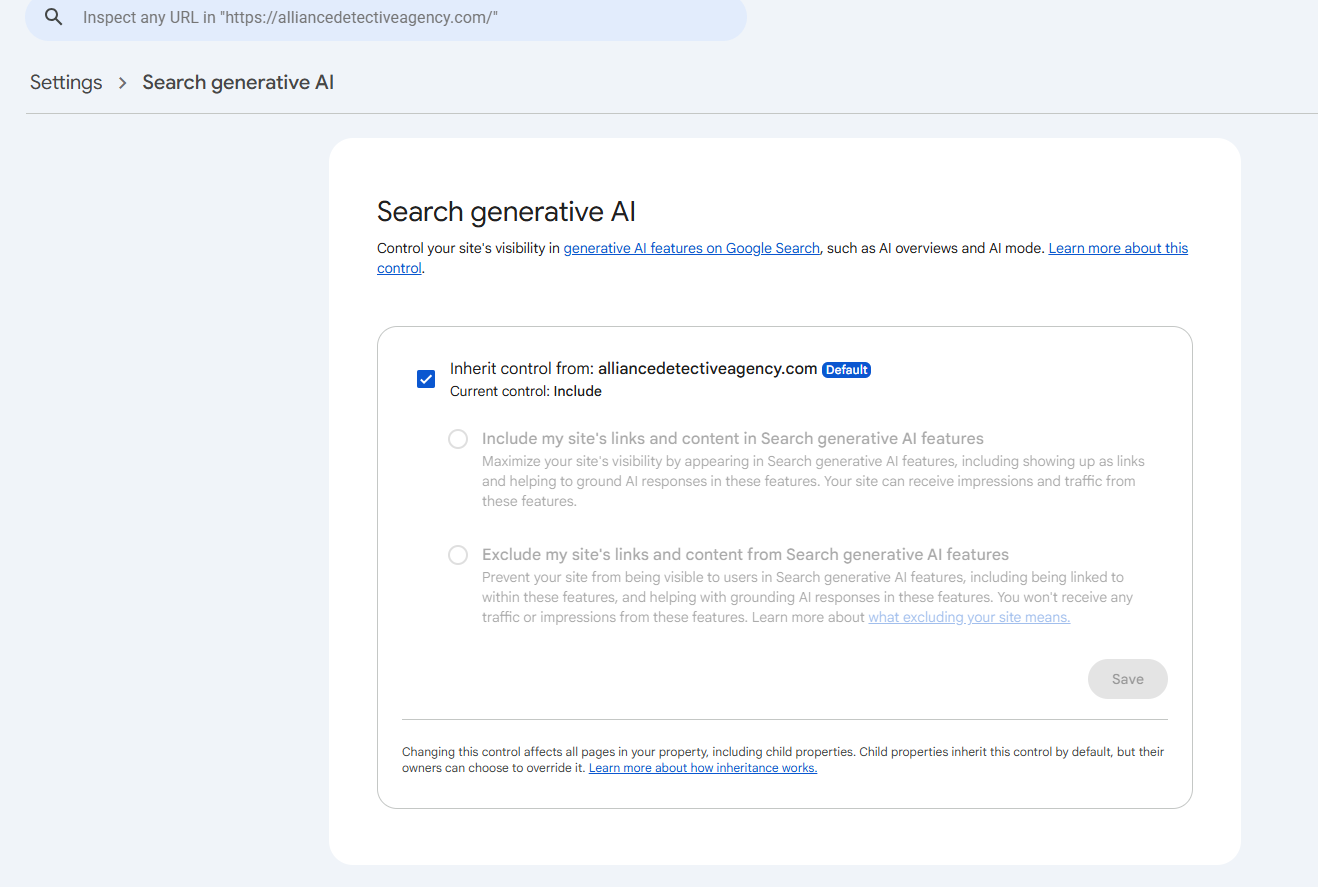
The setting is called the Search generative AI control. You find it in Search Console under Settings, then Search generative AI. Google started testing it with a subset of UK sites on June 3, 2026. That was the same day the UK’s Competition and Markets Authority (CMA) imposed its publisher conduct requirement on Google. Google says it reached all websites worldwide on August 31, 2026.
The three settings
- Include: your content can appear in AI features as links and can help ground AI answers. This is the default for every property.
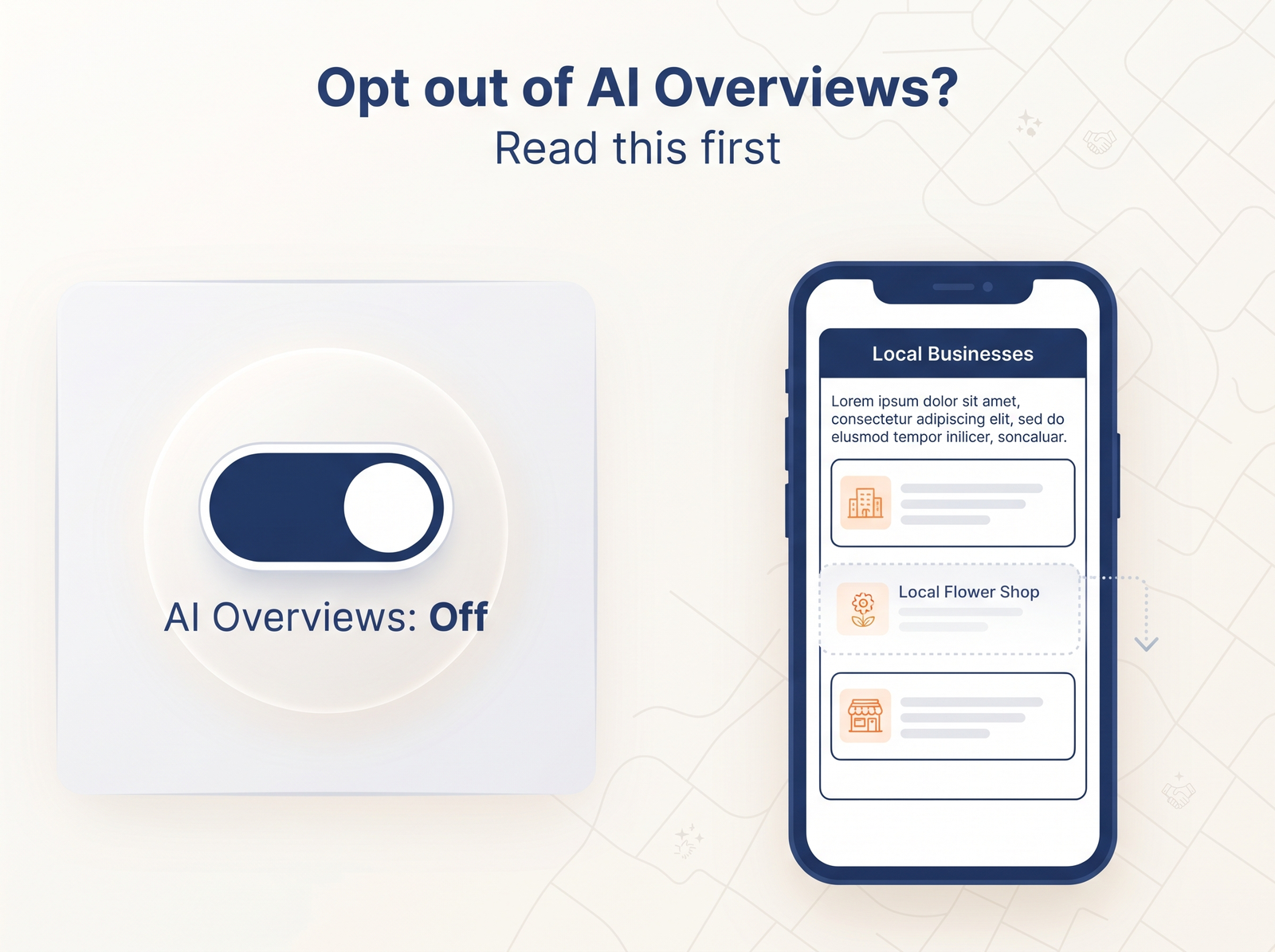
- Exclude: your links and content are kept out of AI Overviews, AI Mode and Discover’s AI features. Google says you will get no traffic or impressions from these features.
- Inherit control from parent: the property follows the setting of a parent property, such as your domain property. This is the default for any property that has a parent.
What it does not touch
Google’s help page is clear on a few points, and each one matters for your decision:
- It is not used as a ranking signal for the rest of Search. Your regular listings should not move because of it.
- It does not override your choices in Merchant Center or Google Ads.
- It does not control AI training. That is a separate setting called Google-Extended.
- It does not remove you from Google. For that, you would use noindex.
- Other sites still appear in the AI answer, and Google warns their content “may appear similar to yours.”
That last point is the one most owners miss. Opting out does not make the AI answer go away. It only means your business is no longer part of it, and a competitor may fill the gap.
How fast it works
Google says a change generally takes a few days. Once the new setting is active, most pages should drop out in a day or two, though caching can hold some pages back for longer. The help page gives no separate timing for switching back to Include.
Why it matters for your type of business
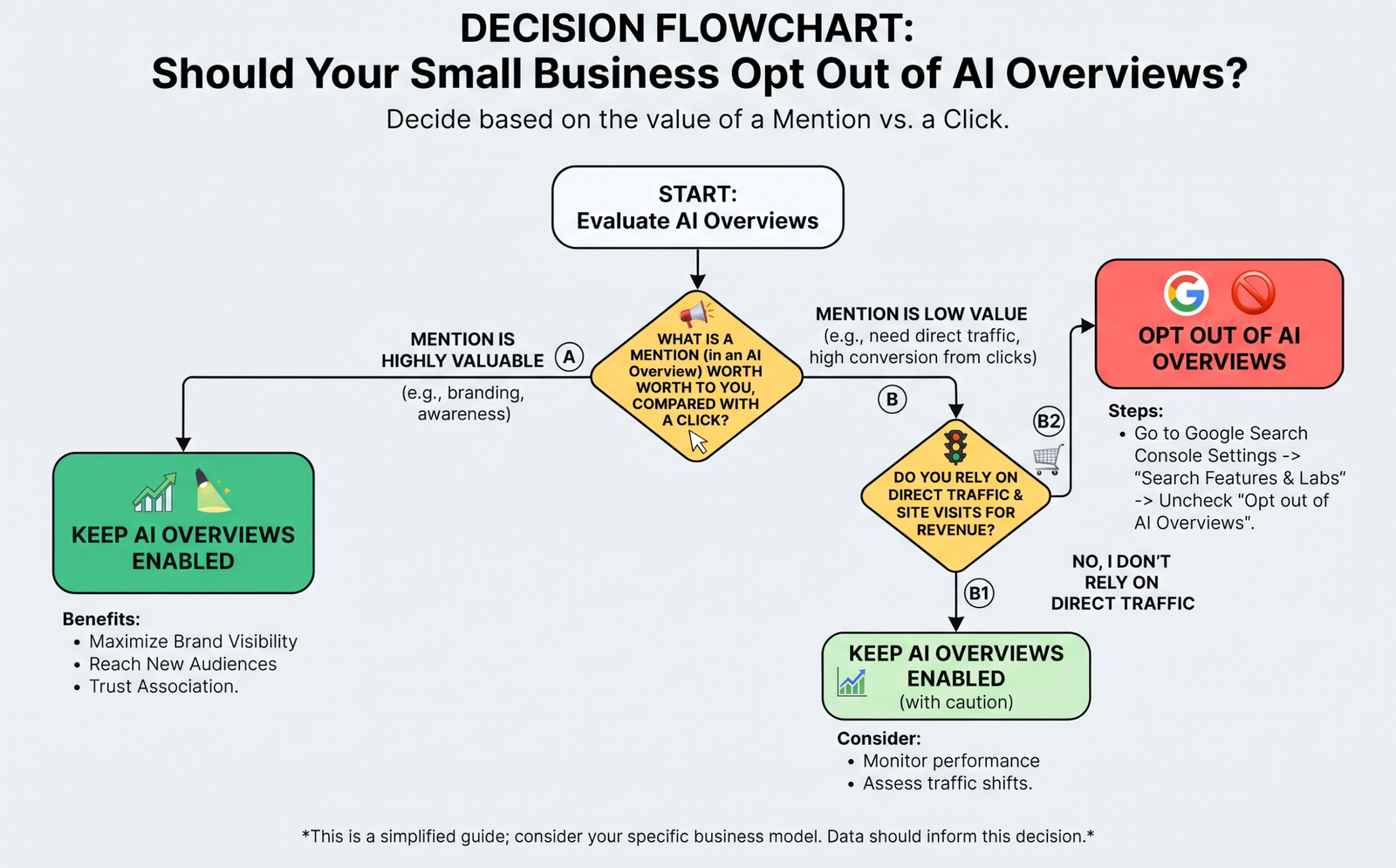
Google says AI Overviews has over 2.5 billion monthly active users and AI Mode has passed one billion monthly users, according to Google’s announcement of the control. That is a lot of attention. The real question is not traffic alone. It is what being mentioned is worth to you.
News sites and ad-supported blogs
If you earn money from page views, an AI answer that sums up your article without sending a visitor costs you. This group has the strongest case for testing an opt-out. There is a catch, though. Search Engine Journal reported that news tracking firm NewzDash has seen Top Stories carousels inside AI Overviews on US trending news searches. Its founder, John Shehata, believes opting out could remove publishers from those carousels too. Google has not confirmed that.
Clinics, HVAC, law firms and local service businesses
Think about how people choose an eye doctor, a dentist or an HVAC company. In my experience, many ask a question, read a short answer, and then look up the names in it. If your practice is cited, you get a brand mention even without a click. If you opt out, the answer still shows up, built from other sites. For most local businesses, that is a poor trade. Your site still has to close the deal once people find you. That is why the trust signals on your small business website matter as much as the mention.
Online stores
Product brands want to be named when an AI answer compares options or explains a category. The control does not override Merchant Center or Google Ads, so shopping and ad listings stay a separate decision. Still, removing your product pages from AI answers means shoppers comparing options may not see your brand there.
Consultants and B2B firms
In the B2B projects I have worked on, buyers often research for weeks before they fill in a form. Being cited as a source builds familiarity, which is hard to measure and easy to lose. If most of your leads come from referrals and brand searches, the AI impressions you would give up may be low value. So is the gain from opting out.
Google’s AI controls compared
Google offers several controls that sound alike. Here is how they differ, based on Google’s help pages for the control and for Google-Extended.
| Control | What it does | Effect on regular rankings | Who should consider it |
|---|---|---|---|
| Include (default) | Links and content can appear in AI Overviews, AI Mode and Discover AI features | None | Most businesses |
| Exclude | Removes your links and content from those AI features | None, according to Google | Ad-supported publishers testing the trade-off |
| Inherit control from parent | Follows the setting of a parent property | None | Sites with several Search Console properties |
| Google-Extended | Limits use of your content to train the AI models | Separate from Search visibility | Owners worried about training, not visibility |
| noindex | Removes the page from Google Search completely | The page leaves Search | Private or thin pages only |
What to do now: a 7-step check before you opt out of AI Overviews
You do not need to touch the setting this week. You do need to know where you stand. Here is the check I would run for any client.
- Open the Generative AI performance report. In Search Console, open the Generative AI performance report. It shows how often links to your site were shown in AI Overviews and AI Mode, by page, country, date and device.
- Export three months of data. Save it now. If you ever change the setting, you will want a clean “before” picture.
- List your top 20 pages by AI impressions. Mark each one as a money page (service, product, booking) or an information page (blog, guide).
- Compare with your normal Performance report. Check clicks for the same pages. A page with large AI impressions and few clicks is the one worth thinking about.
- Check your property setup. If you have a domain property and URL-prefix properties, confirm which one controls the setting. A change at the parent flows down to child properties that inherit.
- Ask what a mention is worth. For a clinic or law firm, being named for your service and city may be worth more than the click. For a blog that lives on ads, it may not.
- Set a review date. More click data is expected under the UK rules. Put a reminder in your calendar to revisit this in early 2027.
Traffic already looks off? Our guide on how to diagnose an AI Overview traffic drop walks through the Search Console checks to run before you rewrite anything.
Common mistakes and myths
Myth: opting out will boost my regular rankings
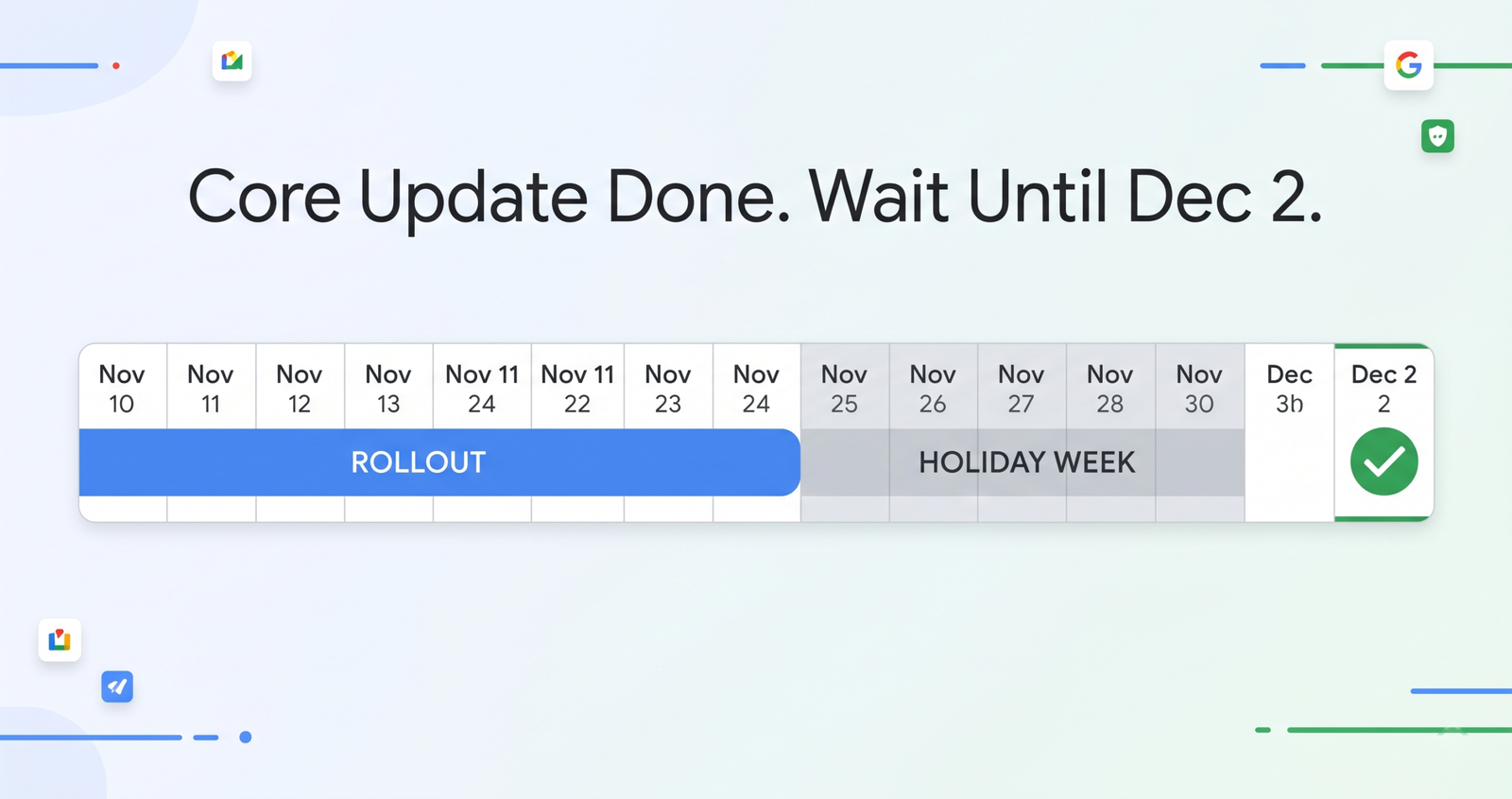
Google says the control is not used as a ranking signal for other parts of Search. Opting out should neither help nor hurt your regular positions. If your regular rankings shifted this month, check the November 2026 core update, which finished on November 24, first.
Myth: the AI answer disappears if I opt out
It does not. Google says content from other sites stays available, and it may look similar to yours. You leave the answer. The answer stays.
Mistake: confusing the opt-out with AI training
The Search Console control does not stop AI training. Google-Extended is the separate setting for that, and many owners mix the two up.
Mistake: copying one case study
The site in Clark’s post came with no name, sector or numbers. Your business, audience and queries are different. Use your own data.
Mistake: reading a higher click-through rate as a win
PPC Land points out that if AI impressions drop while clicks hold steady, your reported click-through rate in Search Console goes up. That looks good in a report, but it does not mean more people visited.
What comes next
Right now, the control works for a whole property, not single pages. Search Engine Journal and PPC Land both report that page-level controls are due by March 2027 under the CMA’s timeline. PPC Land also reports that the main obligations, including click and click-through metrics, take legal force on December 3, 2026. The CMA’s publisher conduct requirement says Google must give publishers effective controls and clear, detailed metrics on how users engage with their content in AI features.
When that click data arrives, the decision gets much easier. Until then, most businesses are guessing, and guessing in the direction of disappearing is the riskier bet. It is also a good moment to check how you look in other AI tools. Our test of which eye clinics ChatGPT, Gemini and Perplexity recommend shows how uneven AI visibility can be. The ChatGPT Business Hub guide covers the mention data OpenAI now offers businesses.
FAQ
How do I opt out of AI Overviews?
In Google Search Console, go to Settings, then Search generative AI, and choose the option to exclude your site. Google says the change generally takes a few days to apply.
Will opting out of AI Overviews hurt my Google rankings?
Google says the control is not used as a ranking signal for other parts of Search, so your regular rankings should not change. You lose visibility only inside AI Overviews, AI Mode and Discover’s AI features.
Does opting out also remove me from AI Mode?
Yes. One setting covers AI Overviews, AI Mode and the generative AI features in Google Discover. You cannot pick just one of them today.
Can I opt out only some pages?
Not yet. The control works at the property level. Search Engine Journal and PPC Land report that page-level controls are due by March 2027 under the UK regulator’s timeline.
Does the opt-out stop Google from training AI on my content?
No. Google says this control does not affect AI training. To limit training, Google points site owners to a separate setting called Google-Extended.
Can I see clicks from AI Overviews in Search Console?
Not separately. The Generative AI performance report shows impressions by page, country, date and device. Google’s help page lists no click metric for it.
Should a small local business opt out of AI Overviews?
In my view, usually not. Many local customers start their shortlist from the businesses named in an AI answer. If you opt out, the answer still appears and may name a competitor instead.
The bottom line
The option to opt out of AI Overviews is real, and it is free. One site’s experience suggests the impressions you give up may not bring many clicks. But for clinics, local service firms, law firms, consultants and stores, being named in the answer is often the point. Measure your own AI impressions, protect your money pages, and revisit the choice when Google’s click data arrives. If you want help reading your Search Console data or becoming the business AI answers cite, see how I work on SEO and AI search visibility.
Sources and how we checked this
- Google Search Console Help, Search generative AI control (rolled out to all websites as of August 31, 2026)
- Google Search Console Help, Generative AI performance report (Search)
- Google, The Keyword, New opportunities, control and insights for website owners (June 3, 2026, updated August 31, 2026)
- GOV.UK, Competition and Markets Authority, Google search publisher conduct requirement (June 3, 2026, last updated August 4, 2026)
- PPC Land, Site exits Google AI Overviews and AI Mode, clicks barely move (November 22, 2026)
- Search Engine Journal, What Opting Out Of Google’s AI Search Features Means Now (August 1, 2026)