
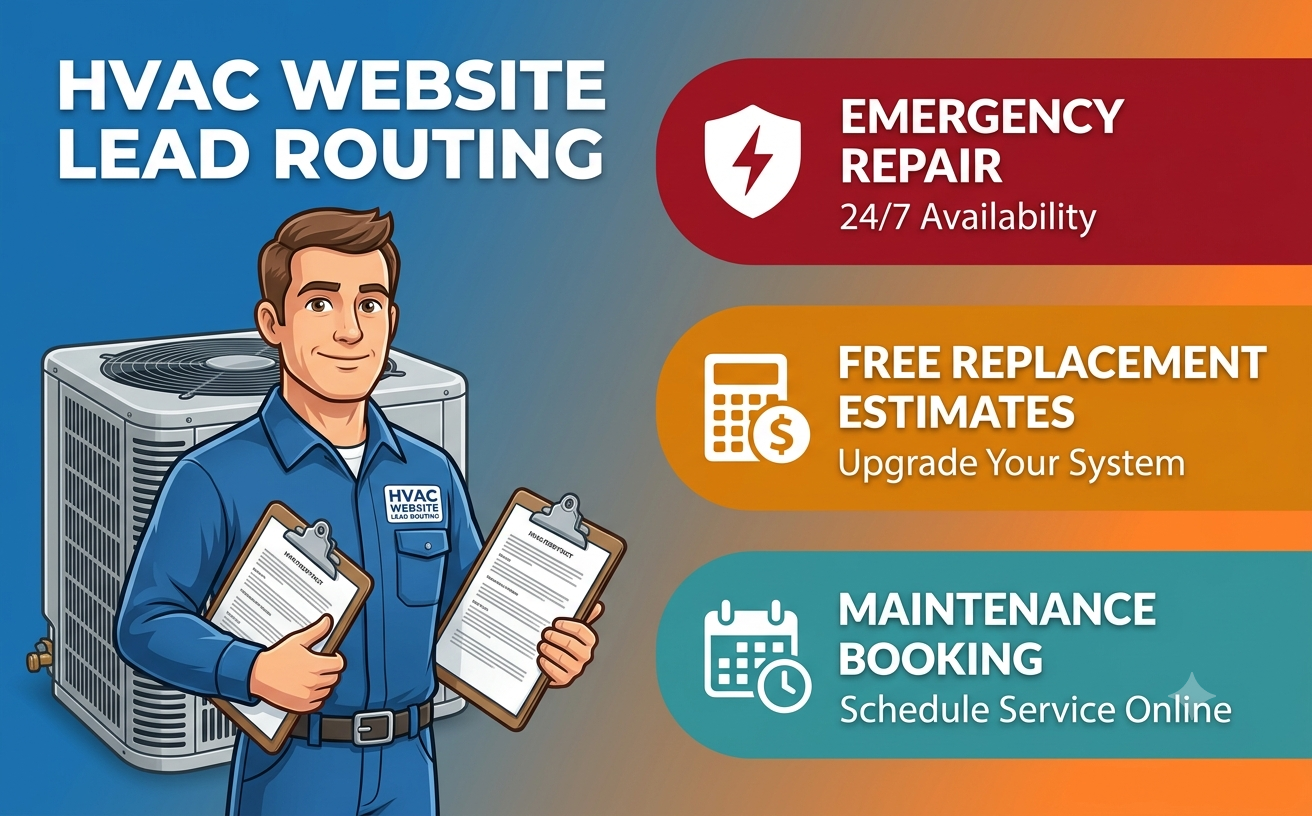
HVAC WEBSITE CONVERSION STRATEGY
An HVAC website should not push a no-cooling emergency, a planned system replacement and a seasonal tune-up through the same form. Each request has different urgency, information needs, scheduling rules and commercial value. The website must route the customer into the operation the contractor can actually deliver.
The highest-converting interface is not necessarily the one with the shortest form. It is the one that reduces uncertainty without creating an operational promise the business cannot keep. A button that says “Book now” can be useful for a standardized tune-up with real availability. The same button can be misleading when a dispatcher must still check coverage, technician skills, parts, equipment type or after-hours capacity.
This guide presents a practical routing model for US HVAC contractors. It is professional web strategy, not legal, safety, licensing or code advice. Service claims, emergency language, financing, promotions, reviews, texting and credential descriptions should be approved by the business and reviewed for the jurisdictions where it operates.
The three-path HVAC routing model
| Customer need | Primary action | Information needed first | Honest confirmation | Operational owner |
|---|---|---|---|---|
| Urgent repair | Call a monitored number or request a rapid callback | Service location, safe contact number, broad symptom, equipment type, immediate safety indicator | Call connected, or callback request received with a realistic response window | Dispatcher or on-call team |
| Replacement estimate | Request an in-home assessment or consultation | Property location, existing system, comfort goal, project timing, optional equipment photos | Request received; appointment is pending review unless the calendar is authoritative | Comfort adviser, estimator or sales coordinator |
| Maintenance or tune-up | Book an eligible slot or request service | Service location, system count/type, plan status, preferred time | Confirmed date and arrival window only when the scheduling source has reserved capacity | Scheduling team or field-service system |
The model is intentionally based on the requested job, not the visitor’s marketing source. A Google Local Services lead, organic visitor, returning maintenance customer and referral may enter through different pages, but the dispatch decision still depends on service area, job type, urgency and capacity. Google’s official Local Services guidance distinguishes phone, message and booking leads, while its booking documentation states that availability is managed through a supported booking partner and that booking leads are currently available in the United States. The website should use the same discipline even when the lead did not come from Google.
Start with a service-area gate
Before asking a customer to describe the equipment, establish whether the address is within the actual service territory. Use a ZIP code, city or address lookup that maps to the contractor’s dispatch zones. If the location is outside the area, say so politely and provide an approved alternative rather than collecting a full lead that no one can serve.
The website, Google Business Profile, Local Services profile and field-service platform should agree. Google’s Business Profile guidance requires service-area businesses to define accurate areas by city, postal code or other supported locality rather than a radius, and allows up to 20 service areas. That is a profile limit, not a recommendation to target 20 thin location pages. Create a local landing page only when the contractor genuinely serves the place and can publish useful, location-specific information.
What the gate must decide
- Whether the location is served at all.
- Whether the job is available during normal, weekend or after-hours service.
- Whether a travel charge, restricted zone or different team applies.
- Which office, dispatcher or schedule should receive the request.
- What message the customer sees when the address cannot be validated.
Do not expose internal territory logic or rely only on a visual map. A customer should be able to type a location and receive a plain answer. Keep a manual route available for new developments, ambiguous boundaries and addresses the lookup cannot recognize.
Path 1: urgent repair needs a response route, not a long questionnaire
When heating or cooling has failed, the user’s first questions are simple: do you serve my location, can I reach someone, and what happens next? Put the monitored phone action near the top on mobile and desktop. If staff cannot answer continuously, offer a short callback request with an accurate response expectation.
Do not claim “24/7 emergency service,” “same-day repair” or an arrival time unless staffing and dispatch policy support the statement in every place where it appears. The confirmation should not imply that a technician is on the way merely because a form was submitted.
Useful urgent-repair fields
- Service address or ZIP code.
- Name and phone number, with an optional preferred contact method.
- Heating, cooling, heat pump, indoor air quality or other broad job category.
- A short symptom selector such as no heat, no cooling, leak, unusual noise or system not starting.
- An immediate-safety question that directs the user to approved emergency instructions rather than attempting a diagnosis.
Avoid requiring model and serial numbers, purchase records or several photos before accepting the request. Those details may help later, but they should not block initial contact. Let the dispatcher request them when they materially affect technician preparation.
Path 2: a replacement lead is an assessment, not a commodity checkout
Replacement buyers are comparing comfort, efficiency, equipment choices, installation quality, warranties, financing and confidence in the contractor. The page should explain the assessment process before presenting the form. Unless the company has a validated pricing system that accounts for the property and installation, avoid presenting a generic instant figure as a binding estimate.
ENERGY STAR’s homeowner guidance emphasizes proper sizing and quality installation, including assessment of the home rather than selecting equipment from square footage alone. That supports an important website message: an online request begins the evaluation; it does not replace the load, duct, electrical, site and code considerations that qualified professionals may need to review.
Collect information that improves the assessment
- Property location and type.
- Existing heating and cooling system type, approximate age if known, and number of systems.
- Main goal: replace a failed system, improve comfort, reduce noise, add zoning, electrify or plan before failure.
- Desired timing and whether the property is occupied.
- Optional photos of equipment, nameplates or the installation area, with file limits and privacy instructions.
- Preferred assessment times, clearly labelled as requested or confirmed.
Ask only what changes routing or preparation. Household income, detailed financing data and identity documents do not belong in an ordinary WordPress form. If financing is offered, move the applicant to the lender’s or approved provider’s secure process with accurate terms and disclosures.
Show the next steps before the button
- The customer submits an assessment request.
- The company verifies service area and project fit.
- A coordinator confirms the appointment and explains preparation.
- A qualified person assesses the property and discusses appropriate options.
- The customer receives the company’s documented proposal and terms.
This sequence prevents a common conversion problem: the customer believes a date is secured, while the sales team sees only an unreviewed website lead.
Path 3: maintenance can use direct booking, but only with real rules
A standard tune-up is often the best candidate for online scheduling because duration, required skill and customer expectations can be more predictable. Direct booking still needs integration with the authoritative calendar. It should account for service zone, technician availability, job type, system count, membership entitlements, travel time and blackout dates.
Jobber’s product guidance distinguishes a request, an on-site assessment and direct booking. ServiceTitan’s scheduling documentation describes capacity, zone, job-type and business-hour configuration, plus test bookings before launch. Its booking-management guidance also shows that some incoming bookings still require verification or follow-up. These are product examples rather than endorsements, but they illustrate the operational distinction every contractor should make.
Use the correct button label
| Button | Use it when | Confirmation must say |
|---|---|---|
| Book maintenance | The slot is reserved in the source-of-truth schedule and all eligibility rules have run | Date, arrival window, service, location, change/cancellation method and any preparation |
| Request an appointment | Staff must verify capacity, plan coverage or job details | The request was received and when/how confirmation will follow |
| Join the maintenance plan | The page explains scope, price, renewal and exclusions accurately | Whether enrollment is complete or still subject to review/payment |
| Ask about maintenance | The offer varies or a consultation is required | A response expectation without promising a reserved visit |
If the integration is down, fail safely. Replace unavailable slots with a request path, alert the responsible employee and prevent duplicate records. Do not let an embedded calendar display stale capacity while the field-service system is the real schedule.
The confirmation truth test
For every CTA, complete this sentence: “After the customer clicks, the business has definitely ____.” If the truthful answer is only “received a request,” the button and confirmation must not imply “confirmed a visit.”
- Request received: the company has the submission, not necessarily an available technician.
- Callback queued: a monitored team owns the response within the stated window.
- Appointment held: a temporary slot exists, with expiry and confirmation rules.
- Appointment confirmed: the authoritative schedule has reserved capacity and the customer has complete details.
- Technician dispatched: an internal dispatch event has actually occurred. A form submission is not this event.
Apply the same test to automated email and text messages. Avoid “You’re all set” when a dispatcher still needs to call. State the job type, address, status and next step in plain language, while excluding unnecessary personal or equipment data.
Design the form for completion and accessible recovery
Every field needs a visible label and clear instructions. The W3C Web Accessibility Initiative explains how to associate labels with form controls and how validation should identify errors accessibly. Group related controls, preserve entered information after an error, move focus to meaningful feedback and provide a success state that is programmatically announced.
Test by keyboard, screen reader and mobile touch. Include ZIP lookup, date and time controls, file upload, consent checkboxes and the embedded scheduler. Offer a phone alternative for people who cannot complete the online path. Accessibility supports reliable lead capture; it should not be treated as a decorative compliance badge.
Build trust without manufacturing proof
Use current licences, trade credentials, manufacturer authorizations, team biographies, guarantees and financing statements only when the company can verify them and explain relevant conditions. Link credentials to their issuing organizations where useful. Do not convert a training logo into a claim that every technician holds the credential.
Customer reviews should be genuine and presented with enough context to avoid a misleading impression. The FTC’s Consumer Reviews and Testimonials Rule guidance explains that the rule took effect on October 21, 2024 and addresses fake or false reviews, certain insider reviews, review suppression and other practices. The website team should preserve accurate attribution and let the business obtain legal review for its review-collection and incentive practices.
Useful service-page proof includes the actual areas served, equipment categories handled, what the visit includes, how the company communicates, and what happens if the requested time is unavailable. Generic badges and copied testimonials do less for a careful buyer than specific, verifiable operating information.
Connect the website to one source of truth
| Record | Recommended owner | Website responsibility |
|---|---|---|
| Service area and zone | Dispatch or field-service platform | Validate location and pass the correct zone |
| Customer and property | CRM or field-service platform | Create or update without uncontrolled duplicates |
| Job type and priority | Dispatch rules | Map the selected path to an approved code, not a free-text guess |
| Appointment capacity | Authoritative scheduler | Display only eligible availability and confirm the final state |
| Marketing attribution | Analytics/CRM fields | Pass privacy-conscious source data without leaking customer details |
| Outcome and revenue | CRM/accounting or field-service system | Receive aggregate status for measurement where appropriate |
Document ownership for failures. Who notices a rejected API call? What happens when a customer already exists at another address? Can two schedulers reserve the same capacity? Does a cancelled appointment update the CRM and confirmation messages? A conversion flow is complete only when the record reaches the person and system expected to act on it.
Measure jobs, not just button clicks
Website events are diagnostic signals. The business outcome occurs later. Build a funnel for each path rather than combining every action as a “lead.”
| Path | Early signals | Qualified outcome | Operational quality checks |
|---|---|---|---|
| Urgent repair | Tap-to-call, connected call, callback request | Valid service call scheduled and completed | Answer rate, callback time, service-area rejection, abandoned calls |
| Replacement | Assessment start, valid submission, appointment request | Assessment completed, proposal delivered, replacement won | No-show rate, unqualified requests, estimate delay, duplicate leads |
| Maintenance | Eligible slot viewed, request or booking completed | Tune-up completed or plan enrolled | Booking errors, reschedules, capacity mismatch, plan-status errors |
Use call tracking and advertising attribution carefully. Keep names, addresses, phone numbers, symptom descriptions and uploaded photos out of analytics URLs and event labels. Define retention and access for call recordings and customer data with appropriate professional advice.
Cost and effort factors
A simple brochure site with a monitored contact form is a different project from real-time scheduling across several service zones. Cost and delivery effort increase with address validation, job-type logic, after-hours rules, membership lookup, live calendar integration, CRM deduplication, call tracking, payment, financing handoffs, multilingual content, accessibility testing, analytics and failure monitoring.
Before requesting a proposal, prepare a current service map, job types, staffing hours, dispatch ownership, response standards, software documentation, data fields, booking rules, notification templates, exception scenarios and acceptance tests. This enables vendors to estimate the actual workflow instead of pricing an ambiguous “online booking” feature.
Implementation sequence
- Map real operations: document repair, replacement and maintenance from first contact to completed job.
- Define promises: approve hours, service areas, response windows, booking language and safety instructions.
- Choose system ownership: name the authoritative source for customers, zones, capacity, appointments and outcomes.
- Prototype each path: test the shortest information set that enables the next operational decision.
- Write status-specific messages: distinguish received, queued, held, confirmed and dispatched.
- Build integrations and fallback: handle duplicates, outages, rejected records and unavailable slots.
- Test realistic scenarios: include after-hours calls, out-of-area addresses, multiple systems, mobile use, assistive technology and system downtime.
- Launch with owners: assign responsibility for response time, page accuracy, integration alerts, reviews and measurement.
Pre-launch checklist
- Repair, replacement and maintenance have distinct entry actions.
- Every address is checked against the current service area.
- Urgent wording matches actual staffed hours and approved safety guidance.
- “Request” and “book” are used consistently in buttons, forms and confirmations.
- Only the authoritative scheduler can confirm a time.
- Replacement pages explain the assessment without promising an online diagnosis or binding price.
- Maintenance rules include zone, job type, system count, plan status and capacity.
- Forms have visible labels, useful errors, keyboard access and a phone alternative.
- Claims, credentials, reviews, offers and financing language are verified.
- CRM and scheduling failures alert a named owner and preserve a safe fallback.
- Analytics distinguishes completed jobs from raw clicks and excludes personal details.
- Google profiles, website hours and service-area information agree.
Frequently asked questions
Should an HVAC website offer online booking?
Yes, when the company can expose eligible real-time capacity and the job type is predictable enough to reserve correctly. Otherwise, use “request an appointment” and explain how confirmation works. A calendar widget alone does not make a booking operationally reliable.
What should an emergency HVAC form ask?
Keep it short: service location, reliable contact details, broad equipment or symptom category and an approved safety indicator. The goal is routing and preparation, not remote diagnosis. Provide a monitored phone route and clear instructions for immediate danger.
Can an HVAC website give an instant replacement price?
It can provide an accurately described planning range if the contractor can support it, but it should not present a binding estimate that ignores the property, equipment, installation and code factors. Often the more honest conversion is an assessment request followed by a documented proposal.
Which HVAC website leads should go to the CRM?
Valid requests should reach the approved customer or field-service system with structured service area, job type and source fields. The business should define duplicate handling, ownership, retention and the minimum personal data required. Analytics should receive only privacy-conscious event data.
How should an HVAC contractor measure website performance?
Measure each path from website action to operational result: answered repair calls and completed jobs, replacement assessments and won proposals, maintenance bookings and completed visits. Also monitor response time, routing errors, no-shows, duplicate records and scheduling failures.